 Jeremy Anderson
4e3f12a70a
Jeremy Anderson
4e3f12a70a
|
||
|---|---|---|
| docs | ||
| scripts | ||
| src/ai_lsc | ||
| .gitignore | ||
| CHANGES.md | ||
| LICENSE | ||
| README.md | ||
| TODO.md | ||
| ai-lsc-logo.png | ||
| ai_lsc.py | ||
| bootstrap.sh | ||
| gitcommit | ||
| pyproject.toml | ||
| quickstart.md | ||
| run.sh | ||
| whatremains.txt | ||

README.md
AI - Local Stack Control
v3.1 — Codename: Ankh of Jah
http://dcos.net
A PySide6 desktop application for orchestrating local AI/ML tool stacks across a 13-layer architecture.
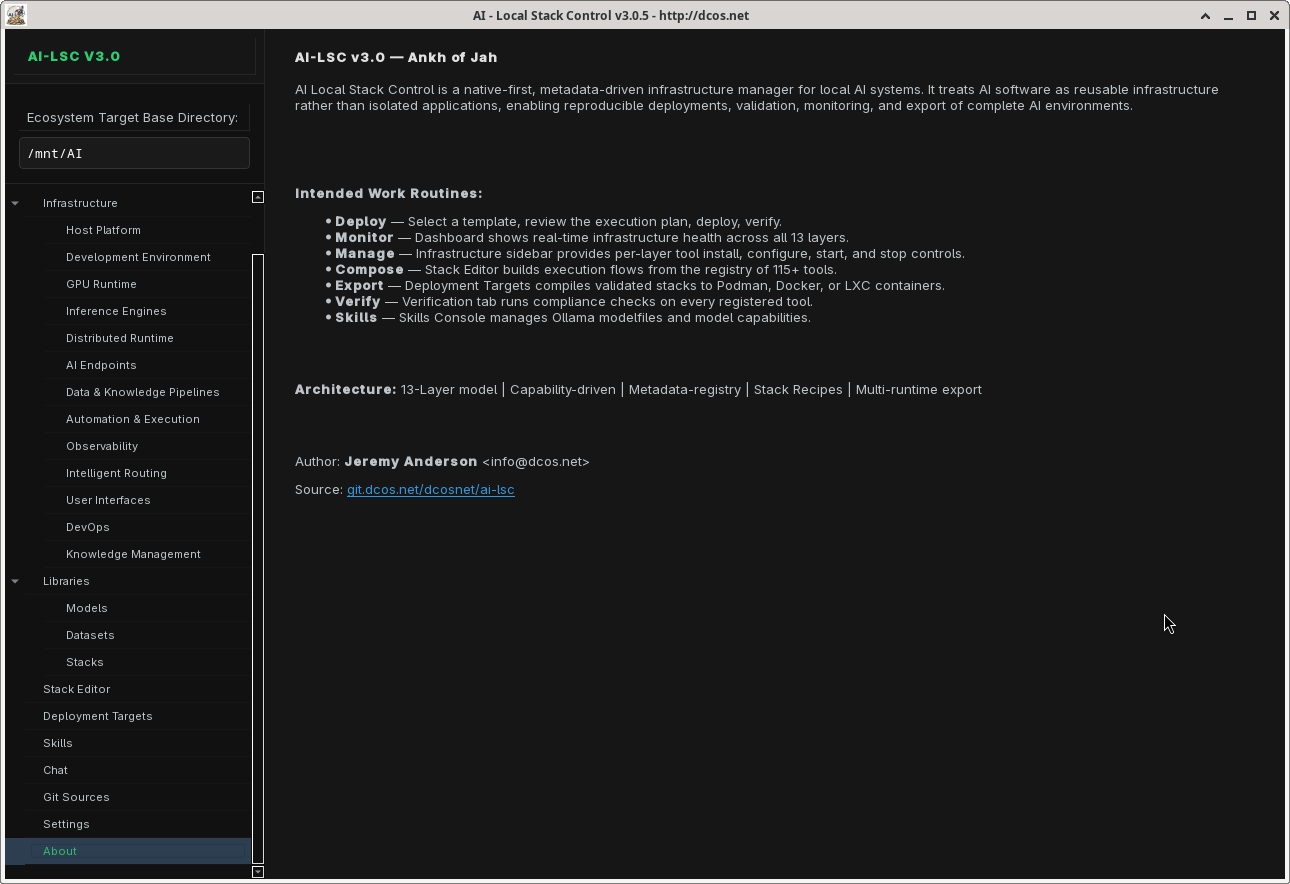
AI Local Stack Control (AI-LSC) provides a unified interface to discover, configure, launch, and manage 125 tools spanning the entire AI software stack — from GPU runtimes and inference engines to agent frameworks and container deployment targets.
Features
13-Layer Architecture
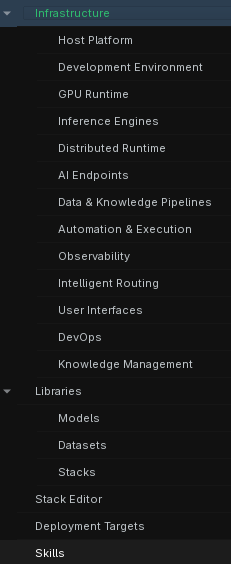
Every tool in the registry is classified within a 13-layer taxonomy, giving you a clear mental model of your entire AI stack:
| Layer | Name | Tools |
|---|---|---|
| L1 | Host Platform | PostgreSQL, MariaDB, Redis, SQLite3, DuckDB |
| L2 | Development Environment | Python, CuPy, ripgrep, fd, tree-sitter, SST |
| L3 | GPU Runtime | CUDA Toolkit, ROCm, Vulkan |
| L4 | Inference Engines | Ollama, llama.cpp, vLLM, SGlang, TGI, LMDeploy, TextGen |
| L5 | Distributed Runtime | vLLM (distributed) |
| L6 | AI Endpoints | LiteLLM Proxy, 9Router Proxy, Odysseus, LangChain, LangFlow, OpenAI Swarm, Agno |
| L7 | Data & Knowledge Pipelines | Dify, LangChain, LlamaIndex, LangGraph, Docling, Whisper, Unstructured, Haystack, Craw4AI, Firecrawl, LakeFS, DVC, nomic-embed |
| L8 | Automation & Execution | Aider, Claude Code, OpenHands, Fabric, Jupyter, Streamlit, Gradio, Chainlit, Marqo, PyPDF, Docling (ETL), Codex, and more |
| L9 | Observability | Btop, Glances, Prometheus, Grafana, Loki, Jaeger, OpenTelemetry |
| L10 | Intelligent Routing | CrewAI, AutoGen, OpenBrain, Mnemosyne, Mnemo Cortex |
| L11 | User Interfaces | Open WebUI, ChatUI, InvokeAI, Forge (A1111), ComfyUI, Gradio Web, Streamlit Web |
| L12 | DevOps | Terraform, Ansible, Puppet, Pulumi, Bicep, OpenTofu, AWS CDK, Crossplane, Terragrunt, Stack Exporter |
| L13 | Knowledge Management | Zotero, Calibre, Paperless-ngx, Logseq, Joplin |
Tool Registry
Browse and search across 125 tools with real-time status detection, dependency tracking, and per-tool configuration. Each tool entry includes installer type, launcher specification, required dependencies, and the full 8-key feature-flag schema (CLI / GUI / Web / Ollama / Docker / Passive / MCP / Skills-collection).
Pipeline Ticker
A horizontally scrolling status bar at the top of every workspace tab that visualizes the wiring topology of your currently-staged tools in real time. Edges are drawn from the live STACK_WIRINGS data: provider ──interface──▶ consumer, with arrow color encoding the interface type (blue = openai_api, green = vector, orange = redis_pubsub, purple = postgresql, teal = http_api, etc.). Orphan tools — active but with no wiring to any other active tool — are flagged in red with an ❗ prefix so you can immediately see which tools in your staged flow are disconnected. Hover to pause the scroll; click any tool pill to jump to the Tools tab and highlight that row.
Workspace (Peek-Style Orchestration)
A new Workspace nav entry (between Chat and Git Sources) provides virt-manager / aqemu–style orchestration: one sub-tab per active tool. Web-interface tools (OpenWebUI, Hermes, Odysseus, etc.) are embedded directly via QWebEngineView at http://127.0.0.1:{port} — no need to leave the app for a browser. CLI tools (Aider, Claude Code, OpenHands, etc.) attach to their tmux session and render the live tmux capture-pane output in an embedded terminal pane at 4 Hz. Passive / library tools get a placeholder explaining they have no interactive surface. Not-yet-running tools show a Start tool button that wires back to the existing service-start flow.
Servo note: The web embedding uses
PySide6.QtWebEngineWidgets.QWebEngineViewby default. Swapping in Mozilla's servo engine later is a one-line change to_make_web_view()inworkspace_tab.py— just provide a widget exposing the samesetUrl()/url()/load()API.
IPC Stack Editor
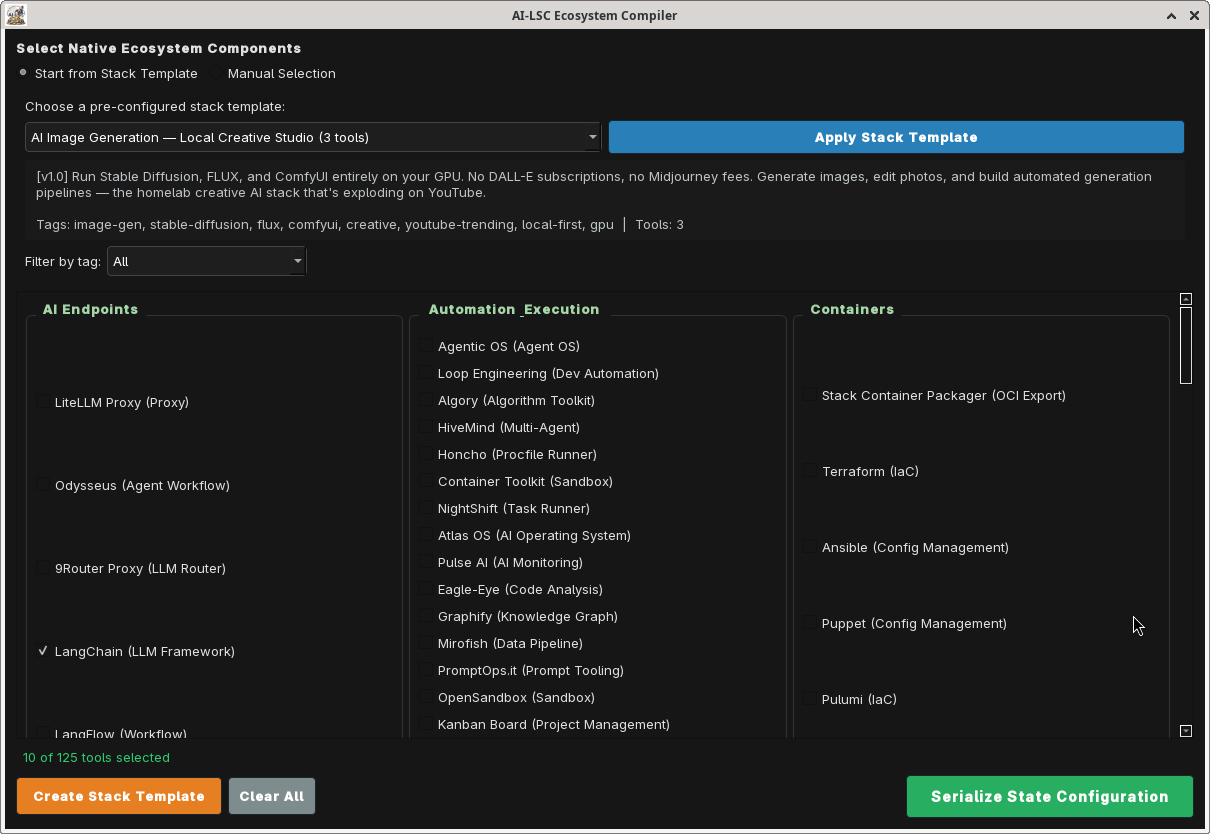
Visually compose your tool stack using the AI-LSC Stack Editor — a drag-and-drop flow compiler. Validate dependencies, then compile the stack state to a portable JSON configuration file.
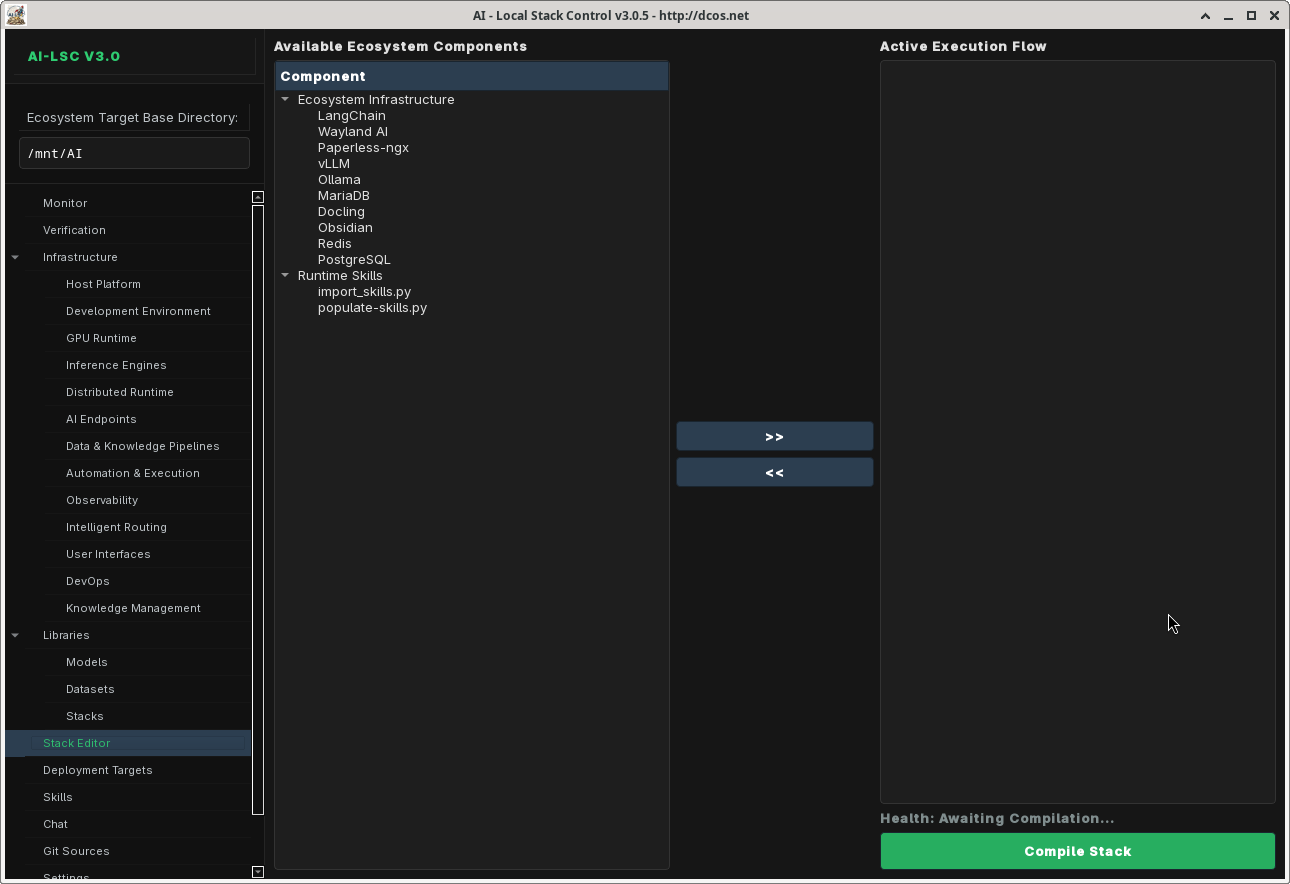
Stack Templates
Get started quickly with pre-configured stack templates:
- Claude Code Setup — Full Claude Code ecosystem (11 tools: claude_code, ollama, aider, claude_mem, godmod3, awesome_claude_code, superpowers, ui_ux_pro_max, vibe_kanban, claude_squad, rcode)
- Free Claude Code — Minimal Claude Code setup (4 tools: claude_code, ollama, claude_mem, rcode)
- SaaS Integrations — Production deployment stack (12 tools including cloudflared, nginx_proxy, certbot, backup_agent)
- Local LLM Lab — Self-hosted LLM playground (10 tools: ollama, llamacpp, vllm, litellm, openwebui, chromadb, whisper, docling, aider, fabric)
Multi-Backend Container Export
Export your compiled stack to multiple deployment targets:
- Podman Compose — Rootless OCI containers via
compose.yaml - Docker Compose — Standard Docker Compose output
- LXC Containers — Per-container
.conffiles +lxc-launch.shlifecycle script - Firecracker microVMs — Per-VM
vm-config.jsonfiles +firecracker-launch.shlifecycle script for ultra-lightweight KVM-backed microVMs
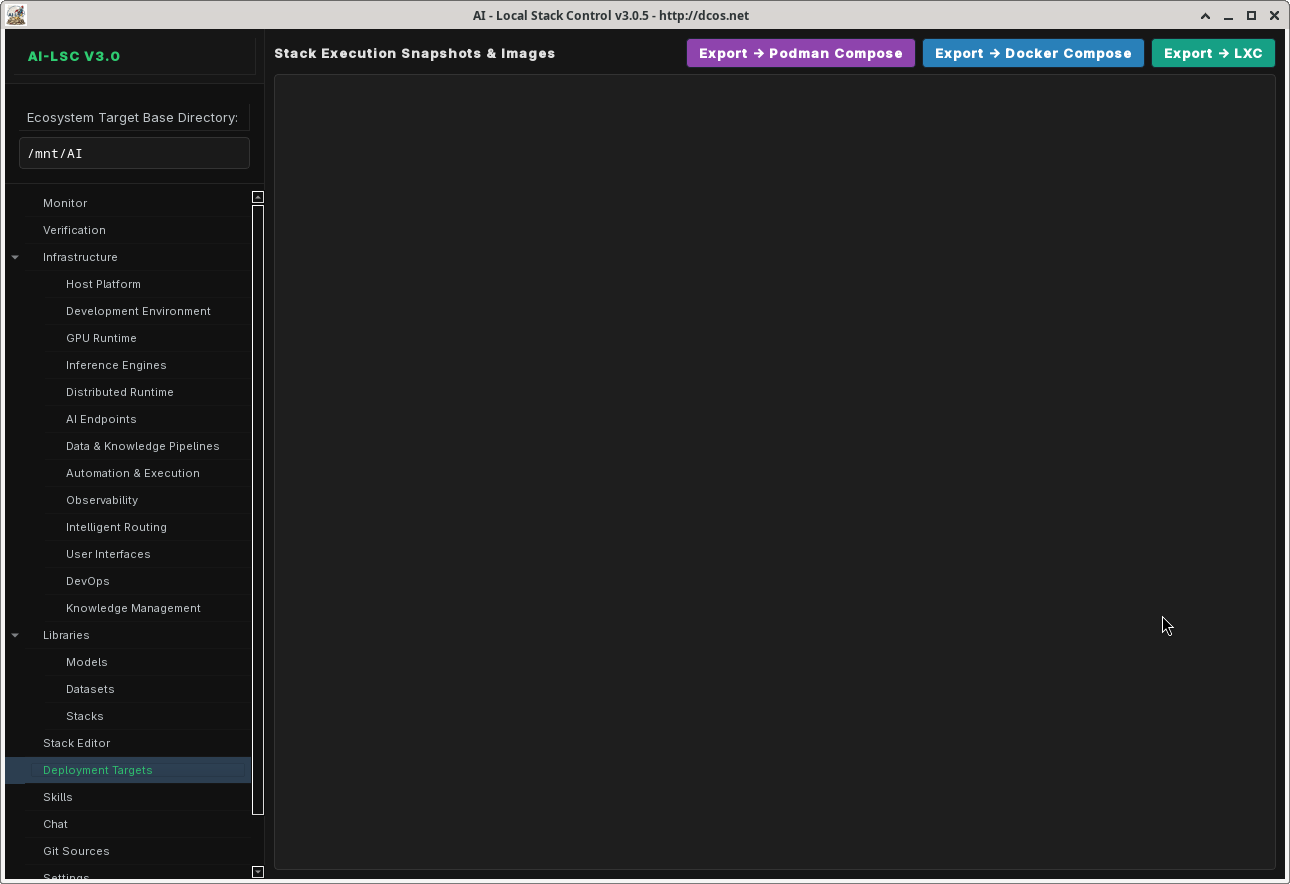
Runtime Management
Launch and manage tools via four runtime backends, all with shell-injection-safe list-form subprocess calls and validated tool_ids / port ranges:
- systemd — Persistent system services with
systemctl(5 s timeout onis-activequeries) - tmux — Session-managed terminal processes with user-scoped session names (
ai_lsc_<uid>) - desktop — One-shot CLI commands
- lxc — Full LXC container lifecycle (create, start, stop, freeze, attach) with
shlex.split()argument preservation and validated container names
All child processes are tracked in a ProcessManager._launched list and reaped on application exit so the GUI does not orphan tmux windows or desktop launches.
Skills System
Extend AI-LSC with skill modules that add specialized behaviors to your tool stack. The Skills Console provides activation toggles, behavior bindings, and runtime integration.
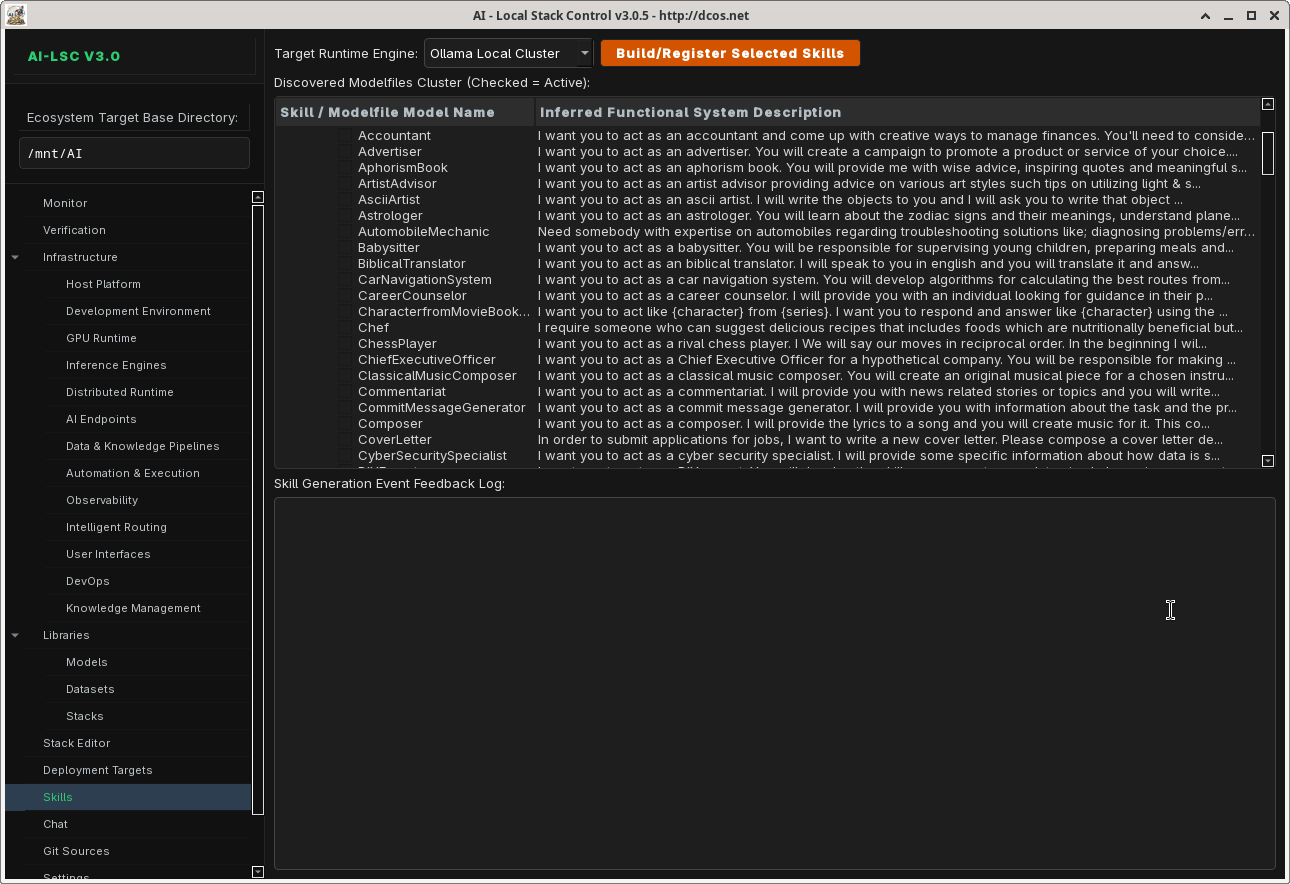
AI Chat Console
Built-in chat interface for interacting with local LLM endpoints. Supports model selection, conversation history, and direct integration with your running stack.
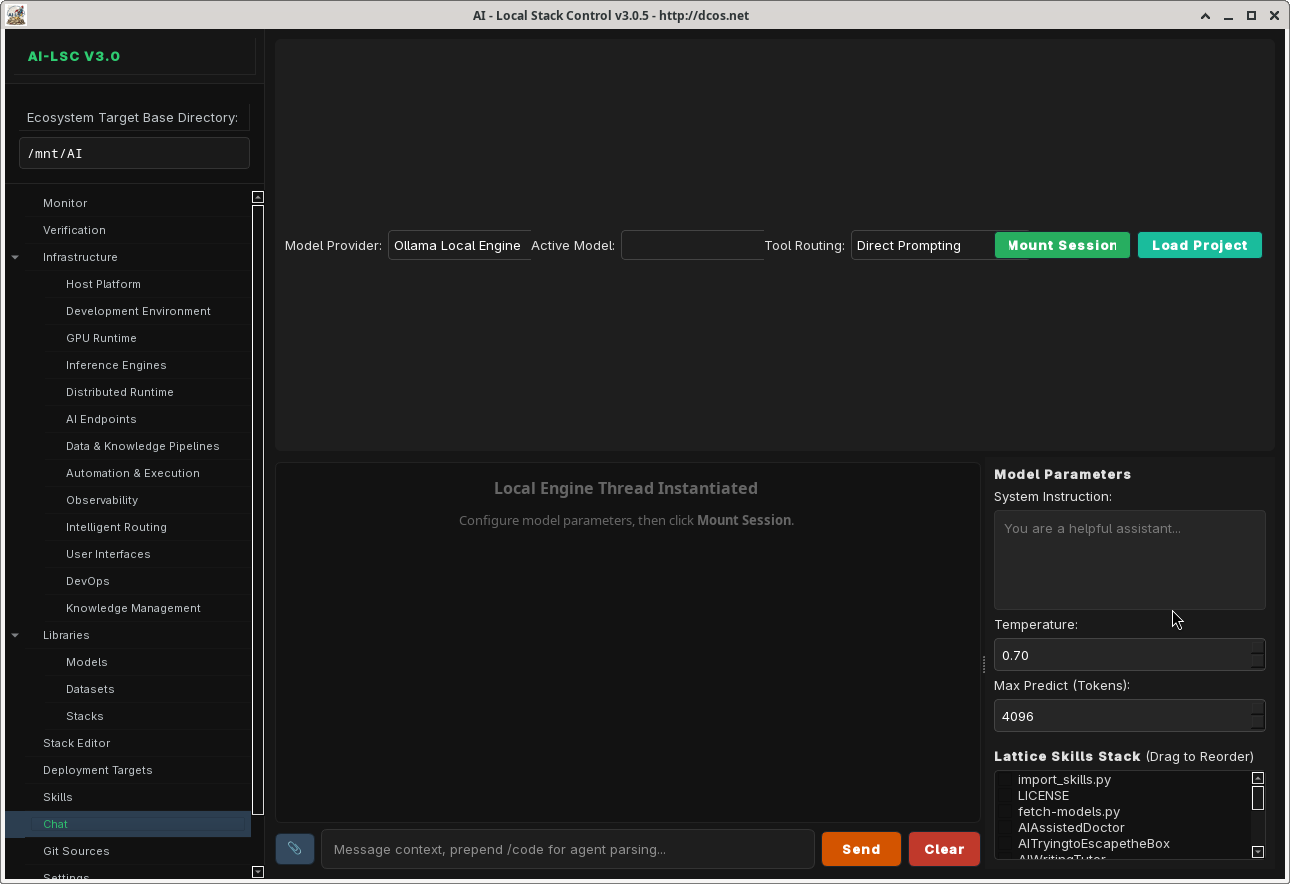
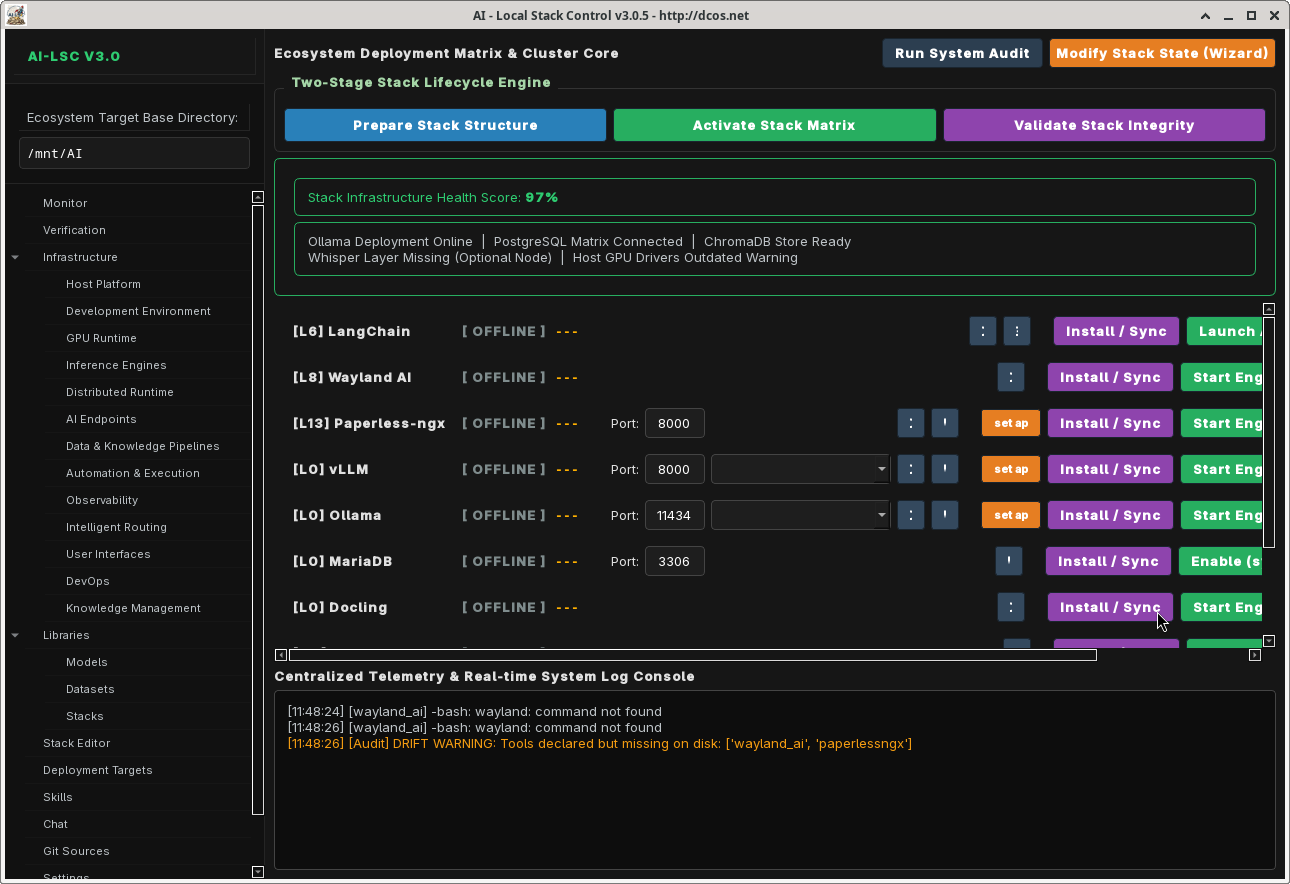
Monitor Dashboard
Real-time system health monitoring with CPU/memory metrics, per-service status indicators, and log aggregation across all running tools.
Code Analysis
Source code analysis with syntax highlighting, complexity metrics, and dependency visualization.

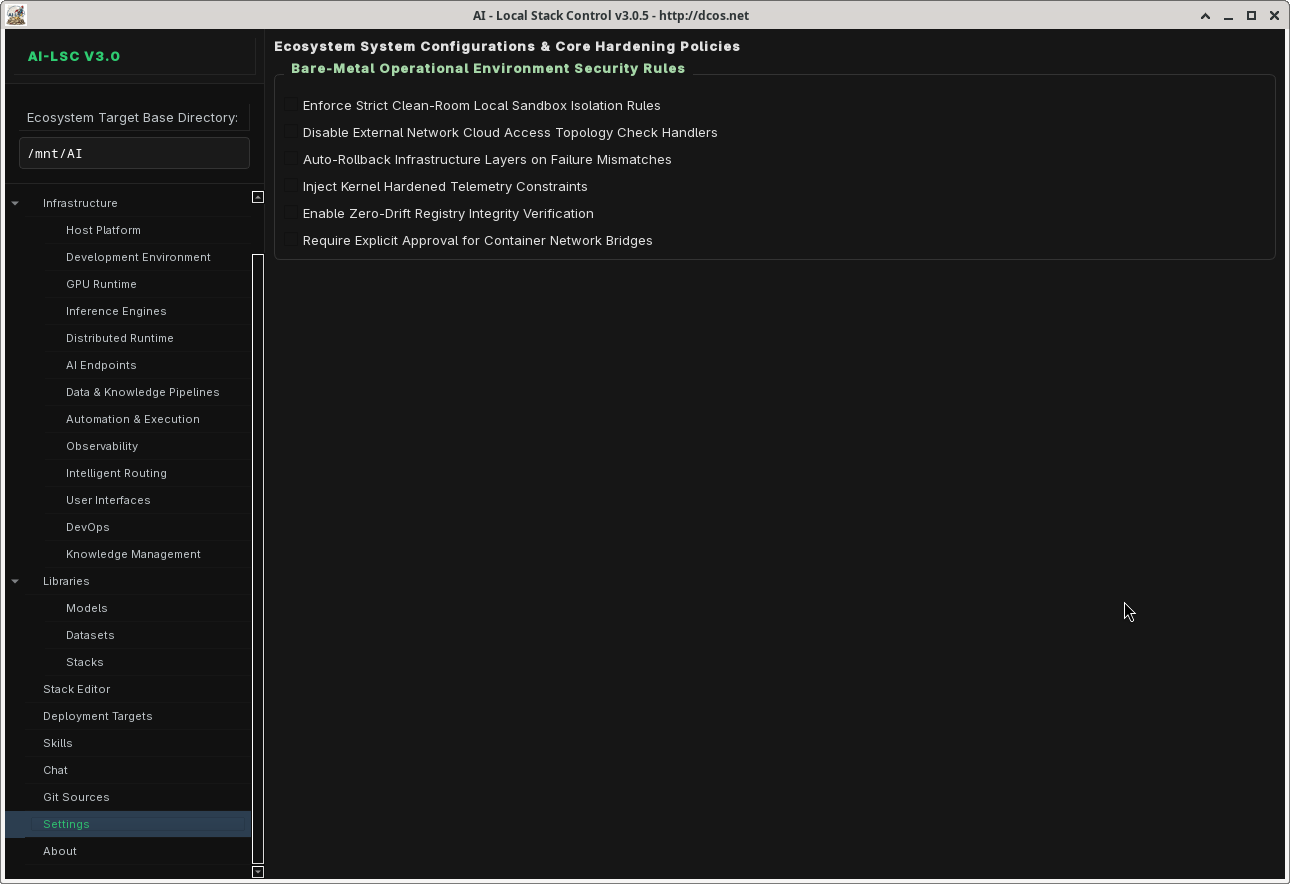
Settings
Configure base directories, model defaults, API endpoints, logging levels, and application preferences.
Architecture
ai_lsc/
  __init__.py                 # Public API re-exports
  constants.py                # App constants, styles, navigation order
  types.py                    # Data classes: ToolMetadata, PipelineState, etc.
  guardrails.py               # Import guard for PySide6
  registry/
    __init__.py
    defaults.py                # Master registry (124 tools, full 8-key flags)
    loader.py                 # Merges per-layer files at runtime
    manager.py                # RegistryManager — query/filter tools
    validator.py              # Schema validation (8-key flags enforced)
    layers/                   # 13 per-layer tool files (123 tools)
      automation.py            # L8: 32 tools
      data_knowledge.py        # L7: 13 tools
      development.py          # L2: 4 tools
      devops.py                # L12: 10 tools
      distributed.py          # L5: 5 tools
      endpoints.py            # L6: 11 tools
      gpu.py                  # L3: 2 tools
      host_platform.py        # L1: 9 tools
      inference.py             # L4: 7 tools
      intelligent_routing.py  # L10: 5 tools
      knowledge_management.py # L13: 5 tools
      observability.py        # L9: 7 tools
      user_interfaces.py      # L11: 13 tools
    stack_templates/          # 13 pre-configured stack templates
  runtime/
    __init__.py
    executor.py                # RuntimeExecutor — dispatch + tool_id/port validation
    installer.py               # Tool installation (URL/port/tool_id validation)
    process.py                 # ProcessManager with reap()/shutdown()
    status.py                  # Service status detection
    systemd.py                 # systemd lifecycle (no shell=True)
    tmux.py                    # tmux session mgmt (validated names, XDG sockets)
    lxc.py                     # LXC lifecycle (validated names, shlex.split)
  stack/
    export.py                  # ContainerBackend — compose/LXC/Firecracker export
    connections.py             # 60-entry STACK_WIRINGS topology (the ticker's data source)
  ui/
    __init__.py
    protocol.py                # MainWindowProtocol (TYPE_CHECKING-typed)
    main_window.py             # AILocalStackControl — master QMainWindow
    dialogs/
      __init__.py
      stack_wizard.py          # First-launch template selection wizard
    pages/                     # 13 page widgets
      chatbot_console.py
      code_analysis_tab.py
      container_stacks_tab.py
      datasets_tab.py
      git_worktree_tab.py
      infrastructure_layer_page.py
      ipc_stack_tab.py
      service_row.py            # adds is_running_now() for ticker
      settings_page.py
      skills_console.py
      tools_tab.py              # adds highlight_tool() for ticker click
    widgets/                   # NEW: shared cross-page widgets
      __init__.py
      pipeline_ticker.py        # scrolling wiring-topology status bar
      workspace_tab.py          # peek-style embedded web + CLI orchestration
  chat/
    api.py                     # Async chat API worker (sanitized errors)
  skills/
    resolver.py                # SkillRuntimeResolver
  manifest/
    support.py                 # Manifest generation
  utils/
    filesystem.py              # Path.rglob-based walk_tree
    logging.py
    paths.py
    process.py
Installation
Prerequisites
- Python 3.11+
- PySide6 (
pip install PySide6) - Arch Linux (pacman) or equivalent package manager
Quick Install
git clone https://github.com/your-username/ai-lsc.git
cd ai-lsc
pip install -e .
See quickstart.md for detailed setup instructions.
Bootstrap Script
./bootstrap.sh
The bootstrap script installs all system dependencies (pacman packages), Python dependencies, and verifies your environment.
Usage
Launch the Application
python -m ai_lsc
First Launch
On first launch, the Stack Template Wizard appears. Choose a pre-configured template (Claude Code Setup, Local LLM Lab, etc.) or start from scratch and manually select your tools.
Typical Workflow
- Select a template or manually pick tools from the registry
- Configure dependencies — AI-LSC resolves tool dependencies automatically
- Compile your stack — IPC Stack Editor validates and saves the configuration
- Watch the Pipeline Ticker — the scrolling status bar at the top of every tab shows the live wiring topology of your staged tools; orphans (disconnected tools) are flagged red
- Launch services — Tools start via systemd, tmux, desktop, or LXC launchers
- Orchestrate from the Workspace tab — every active tool gets its own sub-tab; web tools embed via QWebEngineView, CLI tools attach via tmux
- Monitor — Dashboard shows real-time status across all running tools
- Export — Generate Podman/Docker Compose, LXC, or Firecracker microVM configs
Security & Reliability (v3.1)
The v3.1 pass applied the full master code critique (91 of 93 findings addressed; see whatremains.txt for the two intentionally skipped items and deferred polish):
- No more
shell=Truein any subprocess call acrossruntime/process.py,systemd.py,tmux.py,lxc.py, orinstaller.py(15+ sites converted to list-form argv). The only remainingshell=Trueis the user-preservedcurl … | shinstallers (Ollama / Grafana Alloy / Meilisearch) — seewhatremains.txt. - Path-traversal protection at every subprocess boundary:
_validate_tool_id()rejects..,.,/, and shell metacharacters before any tool_id reaches a path or argv slot. - Port range validation on every user-supplied port (
1 ≤ port ≤ 65535). - URL scheme validation on every
install_customURL (http/https only — nofile://,javascript:, etc.). - Atomic JSON writes via
tempfile+fsync+os.replacewithfcntl.flockadvisory locking so two ai-lsc instances cannot corrupt each other's state. - Hardened error messages in the chat API (no internal-detail leakage to the user; full detail kept in server-side logs).
- Process lifecycle cleanup on application exit (
ProcessManager.shutdown()terminates every tracked child). - API keys moved out of source —
librechat_config.pyreadsAI_LSC_LITELLM_KEY/AI_LSC_OPENWEBUI_KEYfrom the environment instead of hardcodingsk-ai-lsc-local. - Word-boundary error detection in the orchestrator's quality enforcer (no more false positives on phrases like
error-correction module initialized). - Dynamic Qdrant embedding dimension probe (no more hardcoded
dimension=768mismatch when you switch embedding models).
Development
Project Structure
The project follows a layered architecture with clear separation of concerns:
- registry/ — Tool definitions, loader, validator, templates
- runtime/ — Process management, launchers, installers
- stack/ — Container export backends
- ui/ — PySide6 interface (guarded imports, protocol-based DI)
- chat/ — Async chat API integration
- skills/ — Skill runtime resolver
- utils/ — Filesystem, logging, path helpers
PySide6 Guard Pattern
All UI modules use a try/except guard:
try:
    from PySide6.QtWidgets import QMainWindow
    _HAS_QT = True
except ImportError:
    _HAS_QT = False

if _HAS_QT:
    class MyWidget(QMainWindow):
        ...
    MyWidget = None
This allows the registry, runtime, and utility modules to be imported and tested without PySide6 installed.
Registry-Driven Dispatch
Tool behavior is driven entirely by registry entries. No hardcoded switch statements:
LAUNCHER_DISPATCH = {
    "systemd": systemd_start,
    "tmux": tmux_start,
    "desktop": desktop_start,
    "lxc": lxc_start,
}
handler = LAUNCHER_DISPATCH[tool["launcher"]["type"]]
handler(tool)
Adding a New Tool
- Identify the correct layer file in
registry/layers/ - Add a new entry to the
TOOLSdict — note that the validator now enforces the full 8-key flags schema:
'my_tool': {
    "name": "My Tool",
    "level": 8,
    "layer": "Automation & Execution",
    "role": "Hands",
    "category": "Development",
    "installer": {"type": "npm", "pkg": "my-tool"},
    "launcher": {"type": "tmux", "cmd": "my-tool serve --port {port}",
                  "default_port": 8080},
    "deps": ["ollama"],
    "description": "My awesome AI tool.",
    "flags": {
        "has_cli": True,
        "has_gui": False,
        "has_web": True,
        "is_ollama": False,
        "is_docker": False,
        "is_passive": False,
        "is_mcp": False,
        "is_skills_collection": False,
    },
},
- Run
python -m ai_lsc.registry.validator(orpython scripts/backfill_layer_flags.pyif you're migrating an older entry that's missing keys) - Optionally add it to a stack template JSON in
registry/stack_templates/ - Optionally add a
STACK_WIRINGSentry instack/connections.pyso the Pipeline Ticker can visualize its connections to other tools
Creating a Stack Template
{
    "id": "my-template",
    "name": "My Custom Stack",
    "description": "A custom stack for my workflow",
    "version": "1.0",
    "author": "your-name",
    "tags": ["custom", "development"],
    "tools": ["ollama", "aider", "claude_code", "vllm"]
}
Save as registry/stack_templates/my-template.json.
Tech Stack
| Component | Technology |
|---|---|
| UI Framework | PySide6 (Qt for Python) |
| Web Embedding | PySide6 QtWebEngine (servo-swap path documented) |
| CLI Embedding | tmux capture-pane polling at 4 Hz |
| Language | Python 3.11+ |
| Package Manager | pip / uv |
| Container Backends | Podman, Docker, LXC, Firecracker microVMs |
| Service Management | systemd, tmux |
| IaC Tools | Terraform, Pulumi, OpenTofu, AWS CDK, Crossplane, Bicep, Terragrunt |
| Config Format | JSON (atomic writes via tempfile + fsync + os.replace) |
| Concurrency | threading.Lock for model pool, fcntl.flock for cross-process state files |
Changelog
See CHANGES.md for the v3.1 release notes covering the critique pass and the new Pipeline Ticker + Workspace widgets. See whatremains.txt for the two intentionally-skipped findings (curl|sh remote installers) and deferred polish items.
License
AGPLv3
Contributing
- Fork the repository
- Create a feature branch (
git checkout -b feature/my-feature) - Add tools to the appropriate layer file
- Ensure all 13 layer files pass AST validation (
python3 -c "import ast; ...") - Submit a pull request