 Jeremy Anderson
d244d69ca6
Jeremy Anderson
d244d69ca6
|
||
|---|---|---|
| docs | ||
| scripts | ||
| src/ai_lsc | ||
| .env | ||
| .gitignore | ||
| CHANGES.md | ||
| LICENSE | ||
| QA-PASS-REPORT.md | ||
| README.md | ||
| TODO.md | ||
| ai-lsc-logo.png | ||
| ai_lsc.py | ||
| bootstrap.sh | ||
| gitcommit | ||
| pyproject.toml | ||
| quickstart.md | ||
| run.sh | ||
| whatremains.txt | ||

README.md
AI - Local Stack Control
v3.4.0 — Codename: Ankh of Jah
Author: Jeremy Anderson <info@dcos.net>
Web: https://dcos.net
Includes the local-coder-mesh integration, 10-layer taxonomy migration, MoE QA pass, and openhuman/openwebui hardening — see CHANGES.md for the full version history.
A PySide6 desktop application for orchestrating local AI/ML tool stacks across a 10-layer architecture.
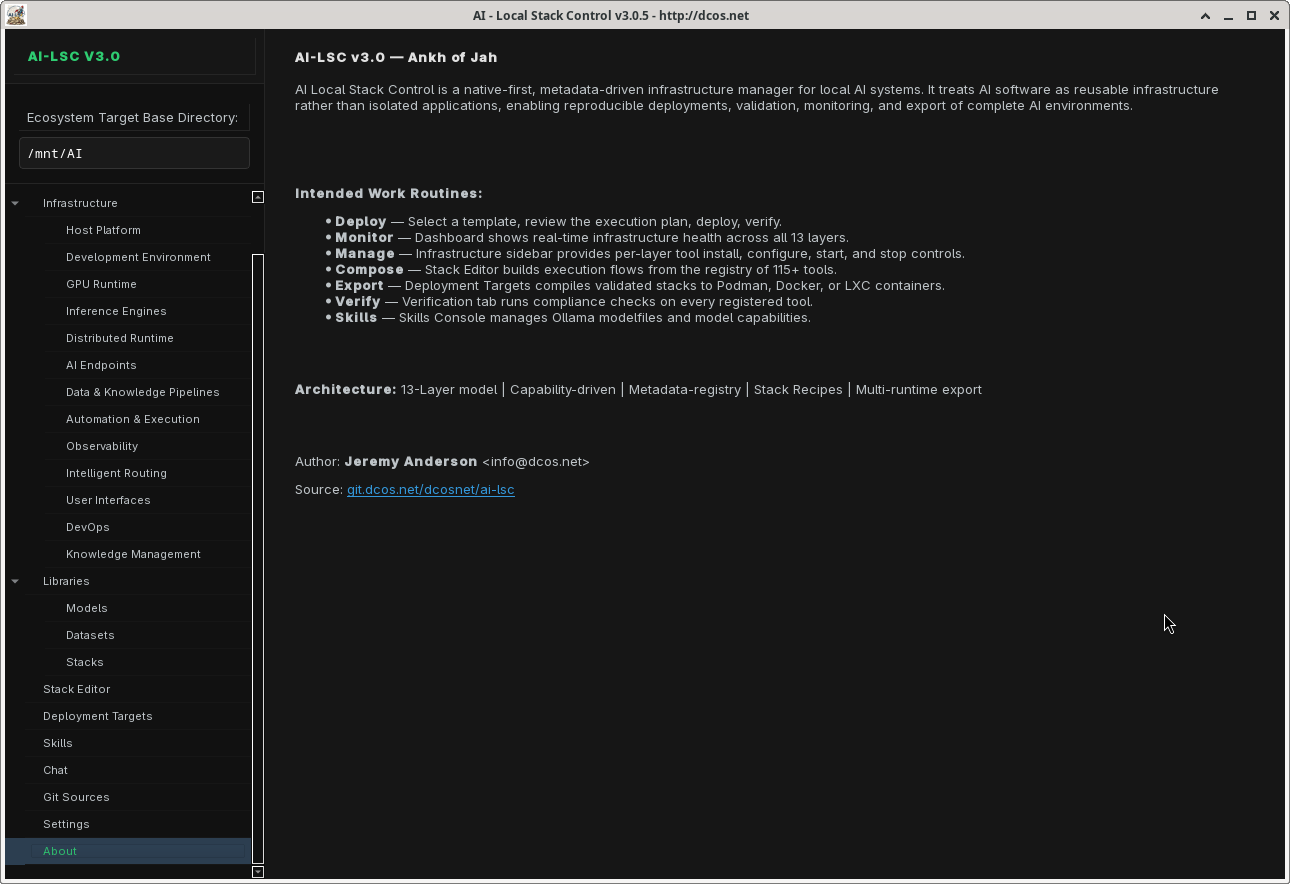
AI Local Stack Control (AI-LSC) provides a unified interface to discover, configure, launch, and manage 181 tools spanning the entire AI software stack — from GPU runtimes and inference engines to agent frameworks, security tooling, and knowledge management.
Features
10-Layer Infrastructure Architecture
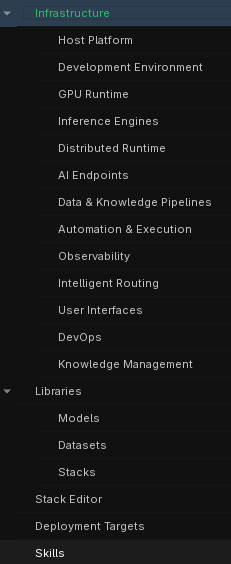
Every tool in the registry is classified within a 10-layer taxonomy, giving you a clear mental model of your entire AI stack. Select tools directly from the sidebar — the sidebar is the wizard.
| Layer | Tools | Examples |
|---|---|---|
| L1 — Host Platform & Infrastructure | 21 | PostgreSQL, MariaDB, Redis, DuckDB, Podman, Docker, LXC, Firecracker, libvirt, nginx, Tmux, Keycloak, Vault |
| L2 — Development Runtime & Environment | 34 | Python, uv, Node.js, Deno, Go, Rust, GCC, make, ripgrep, fd, tree-sitter, git, gdb, valgrind |
| L3 — GPU Acceleration & Optimization | 5 | CUDA, CuPy, Apex, Unsloth, tinygrad |
| L4 — Local Inference Engines | 10 | vLLM, SGLang, llama.cpp, KoboldCPP, Llamafile, Ollama, TurboLLM, AirLLM |
| L5 — Intelligent API Routers & Proxies | 4 | LiteLLM Proxy, 9Router Proxy, MeshLLM, Fabric |
| L6 — Multi-Agent Orchestration Runtimes | 22 | Swarm, AutoGen, CrewAI, Agno, LangChain, Letta, OpenBrain, Ray, Glassmind |
| L7 — Agentic Software Engineering & Sandboxes | 17 | OpenHands, Aider, Claude Code, Codex, Gemini CLI, OpenCode, goose, spec-kit |
| L8 — Decentralized Knowledge & Vector Stores | 11 | ChromaDB, LanceDB, Qdrant, Neo4j, Elasticsearch, Meilisearch, Mem0, TurboVec |
| L9 — Data Extraction & Pipeline Harvest | 12 | Crawl4AI, Docling, MarkItDown, Whisper, Parakeet, Airweave, OpenDataloader |
| L10 — Human Interface & System Operations | 50 | Open WebUI, AnythingLLM, LibreChat, Flowise, n8n, Dify, Grafana, Prometheus, Terraform, Ansible |
Sidebar-Integrated Infrastructure Selector
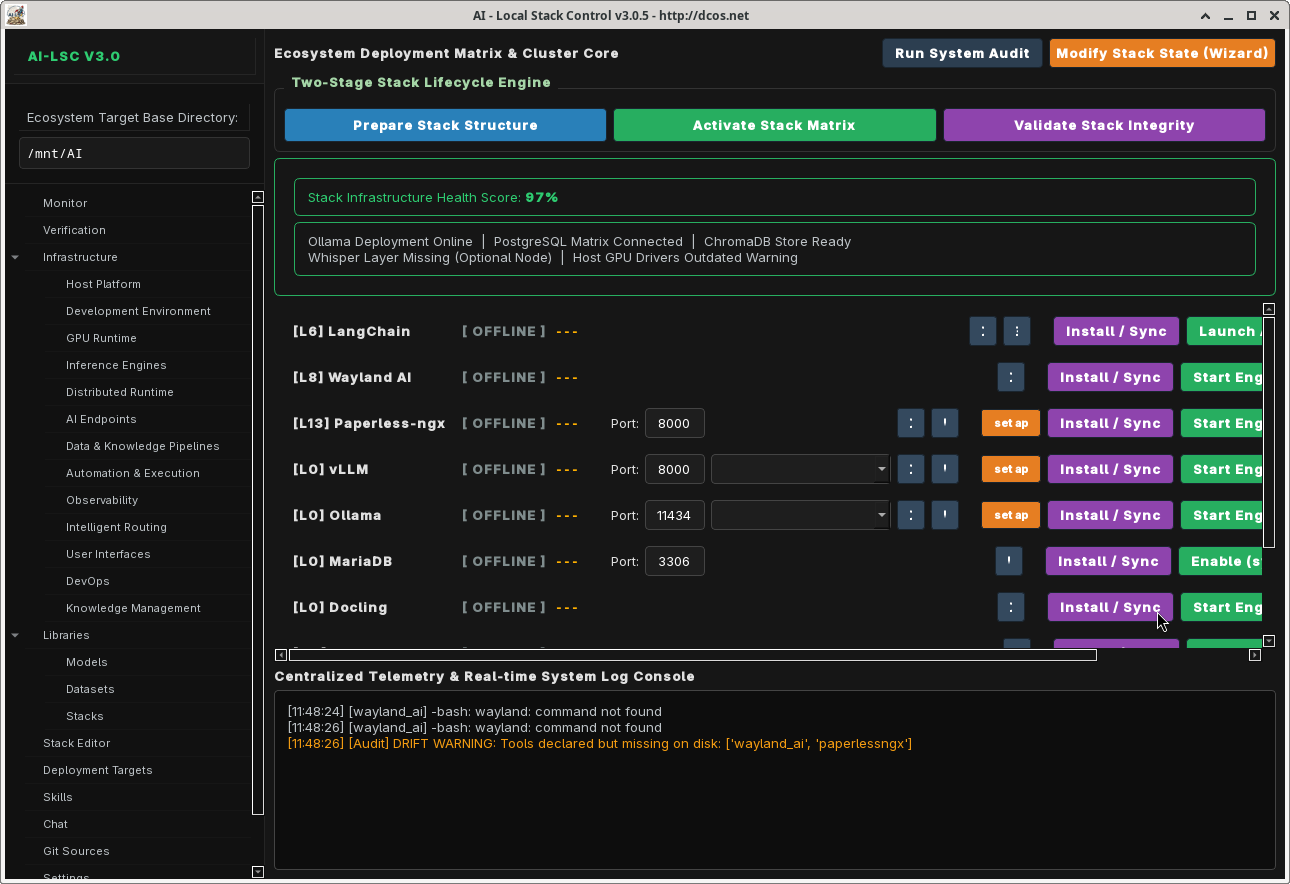
The sidebar doubles as the stack wizard — expand the Infrastructure tree to reveal all 10 layers, each showing its tools with rich-text interface badges (CLI, GUI, Web, Ollama, Docker, MCP, etc.). Toggle checkboxes to stage tools; a debounced compiler (400ms) automatically validates dependencies and writes the compiled pipeline state. No separate popup window needed.
Stack Editor
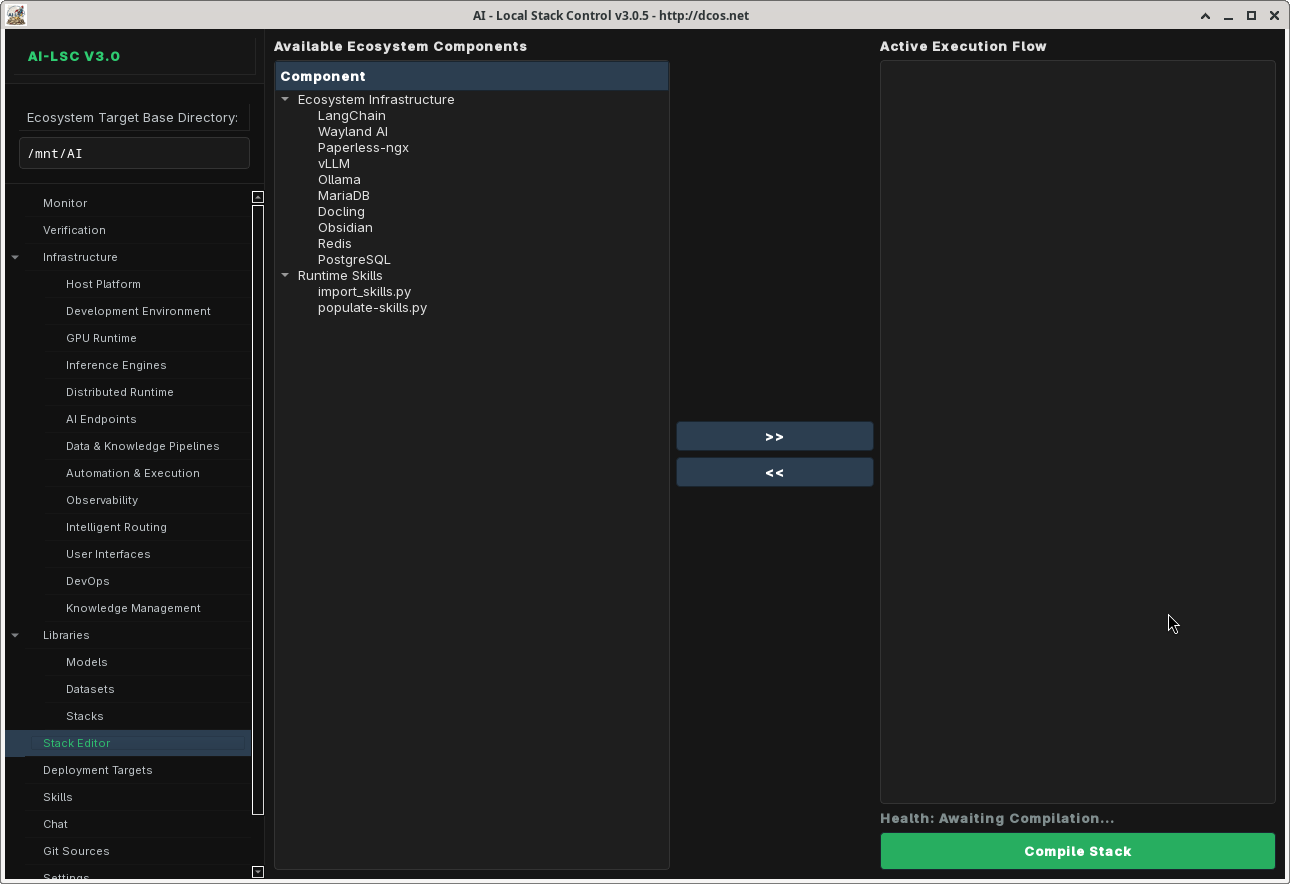
Visually compose your tool stack using templates, a two-panel flow builder, and dependency validation. Select from 13 pre-configured stack templates, then customize the wiring topology. Lifecycle engine controls let you start, stop, and monitor services directly from the editor.
Active Monitor
Stripped to show only active metrics — real-time system health monitoring focused on the services that are actually running. CPU/memory metrics and per-service status indicators for your live stack.
Pipeline Ticker
A horizontally scrolling status bar at the top of every workspace tab that visualizes the wiring topology of your currently-staged tools in real time. Edges are drawn from the live STACK_WIRINGS data: provider ──interface──▶ consumer, with arrow color encoding the interface type (blue = openai_api, green = vector, orange = redis_pubsub, purple = postgresql, teal = http_api, etc.). Orphan tools — active but with no wiring to any other active tool — are flagged in red with a warning prefix so you can immediately see disconnected tools. Hover to pause the scroll; click any tool pill to jump to that tool's row.
Stack Templates
Get started quickly with 13 pre-configured stack templates:
- Claude Code Setup — Full Claude Code ecosystem (11 tools)
- Free Claude Code — Minimal Claude Code setup (4 tools)
- SaaS Integrations — Production deployment stack (12 tools)
- Local LLM Lab — Self-hosted LLM playground (10 tools)
- Agentic OS Stack — Full agent orchestration stack
- AI Image Gen Local — Local image generation pipeline
- Privacy-First AI Laptop — Air-gapped AI workstation
- OpenJarvis Intelligence Stack — Multi-agent intelligence
- OpenHands Autonomous Coder — Autonomous coding agent
- DeepSeek R1 Local Reasoning — Local reasoning models
- Hermes AI Coder Stack — Hermes-powered coding
- Aider + Ollama Vibe Coding — Vibe coding setup
- Open WebUI Full RAG — Complete RAG pipeline
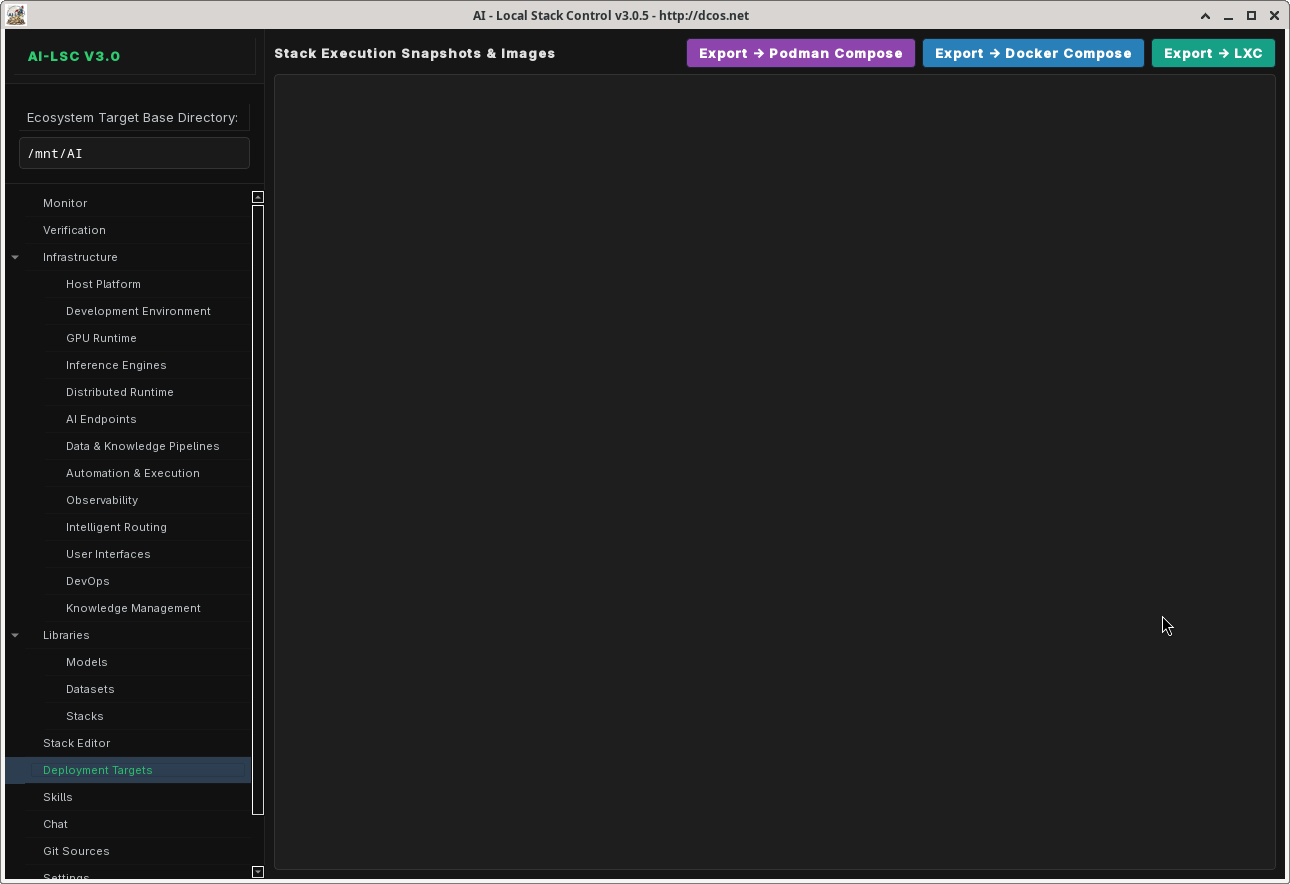
Multi-Backend Container Export
Export your compiled stack to multiple deployment targets:
- Podman Compose — Rootless OCI containers via
compose.yaml - Docker Compose — Standard Docker Compose output
- LXC Containers — Per-container
.conffiles +lxc-launch.shlifecycle script - Firecracker microVMs — Per-VM
vm-config.jsonfiles +firecracker-launch.shfor ultra-lightweight KVM-backed microVMs
Runtime Management
Launch and manage tools via four runtime backends, all with shell-injection-safe list-form subprocess calls and validated tool_ids / port ranges:
- systemd — Persistent system services with
systemctl(5 s timeout onis-activequeries) - tmux — Session-managed terminal processes with user-scoped session names (
ai_lsc_<uid>) - desktop — One-shot CLI commands
- lxc — Full LXC container lifecycle (create, start, stop, freeze, attach) with
shlex.split()argument preservation and validated container names
All child processes are tracked in a ProcessManager._launched list and reaped on application exit so the GUI does not orphan tmux windows or desktop launches.
Skills System
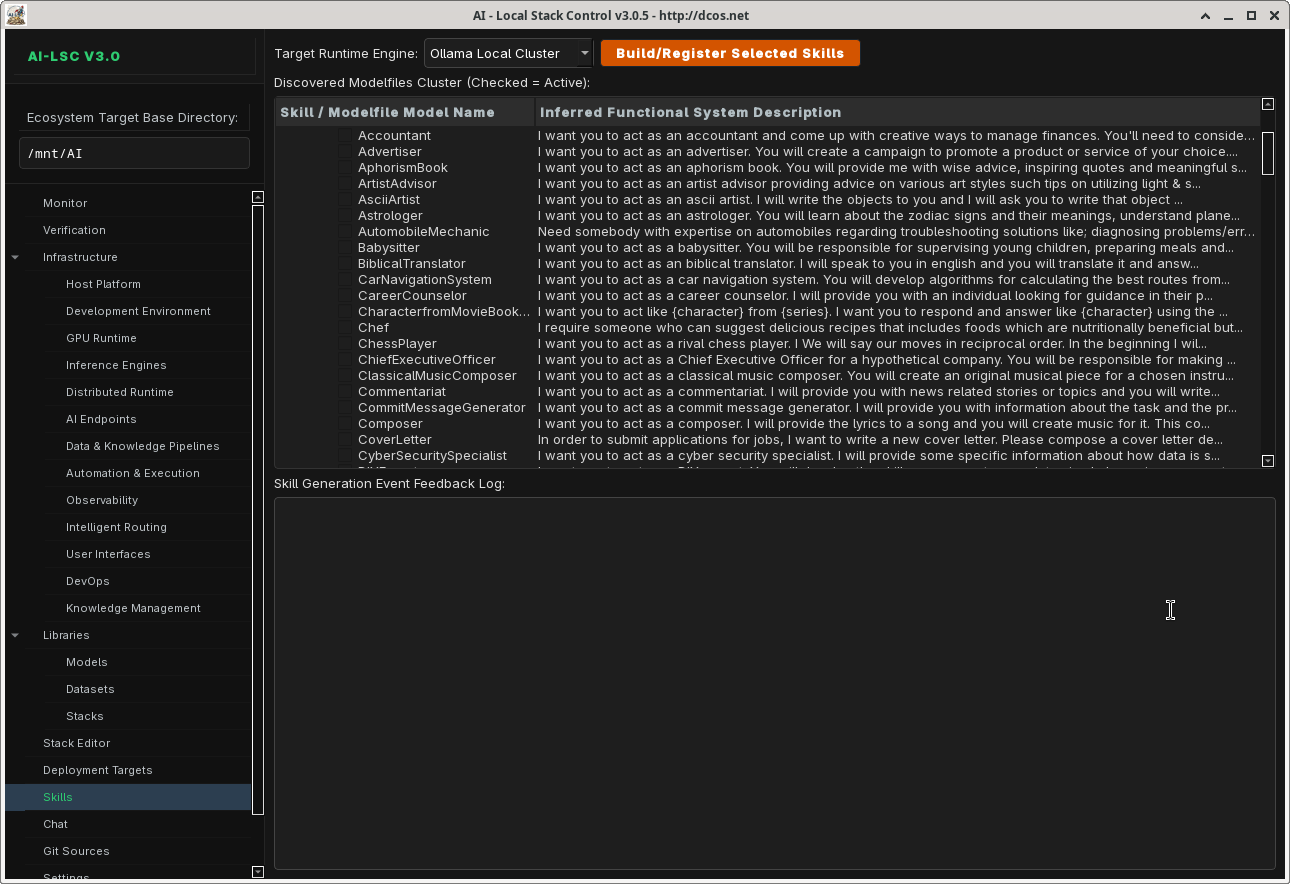
Extend AI-LSC with skill modules that add specialized behaviors to your tool stack. The Skills Console provides activation toggles, behavior bindings, and runtime integration.
AI Chat Console
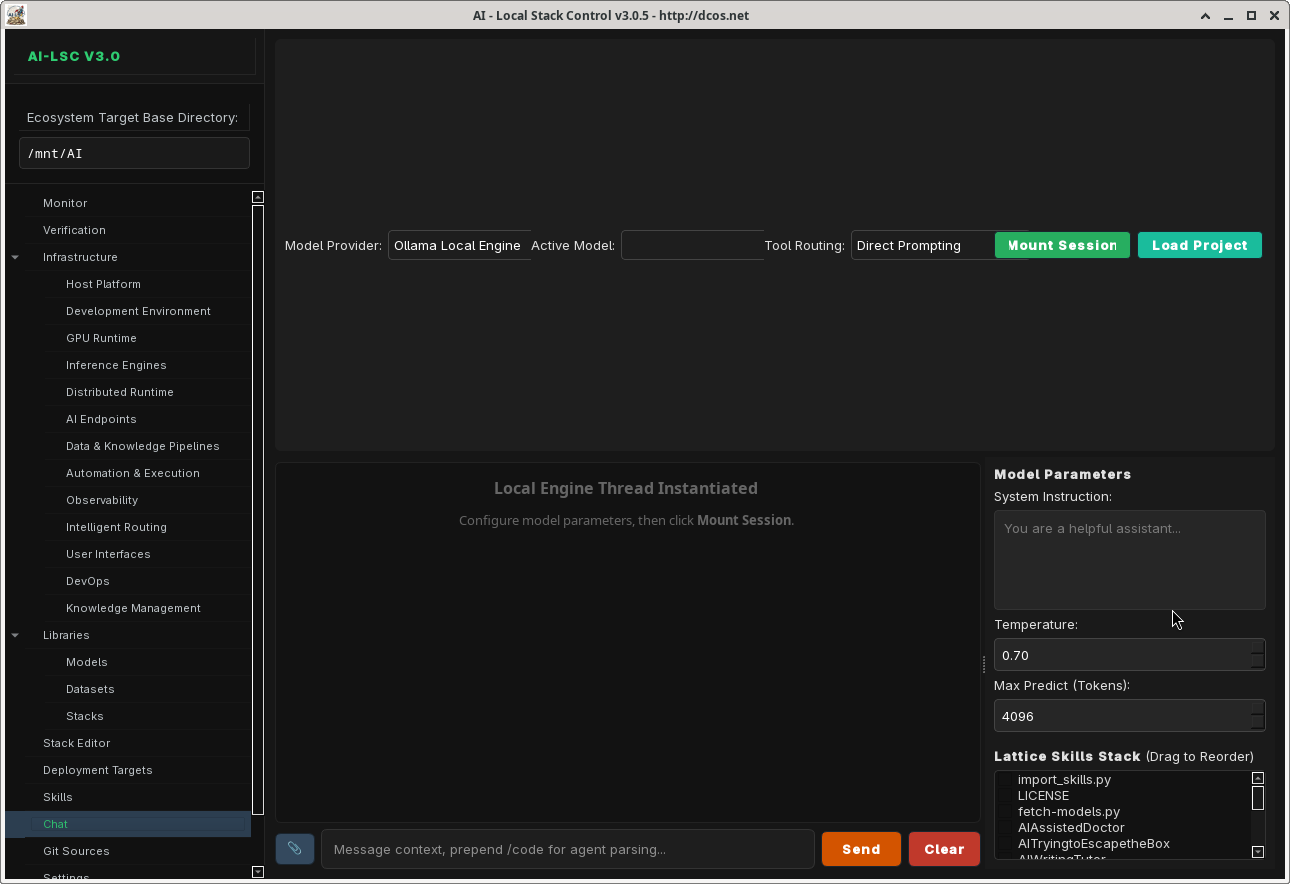
Built-in chat interface for interacting with local LLM endpoints. Supports model selection, conversation history, and direct integration with your running stack.
DB Manager
Full-screen database management interface for inspecting and querying your stack's data stores. Hides the pipeline ticker to maximize workspace.

Verification
Validate your compiled stack configuration, check tool dependencies, and verify service connectivity before deployment.

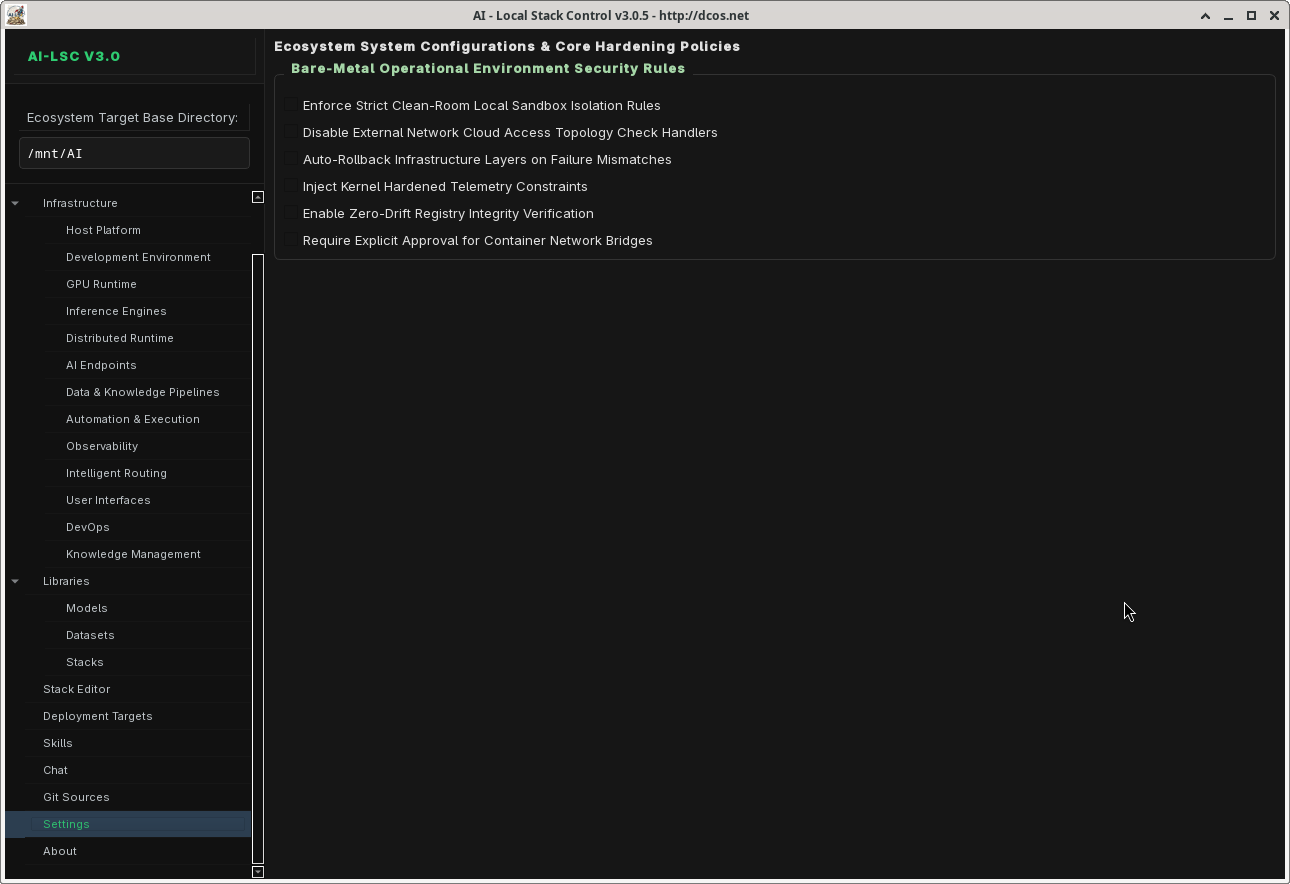
Settings
Configure base directories, model defaults, API endpoints, logging levels, and application preferences.
Architecture
ai_lsc/
  __init__.py                 # Public API re-exports
  __main__.py                 # Entry point: python -m ai_lsc
  constants.py                # App constants, styles, 10-layer nav order
  types.py                    # Data classes: ToolMetadata, PipelineState, etc.
  guardrails.py               # Import guard for PySide6
  registry/
    __init__.py
    defaults.py                # Master registry (140 tools, full 8-key flags)
    loader.py                  # Merges per-layer files + blacklist enforcement
    manager.py                 # RegistryManager — query/filter/group tools
    validator.py               # Schema validation (8-key flags enforced)
    license_gate.py            # License compliance gating
    licenses.py                # License database
    layers/                    # 11 per-layer tool files (10-layer taxonomy)
      host_platform.py         # L1: 9 tools
      development.py           # L2: 7 tools
      gpu.py                   # L3: 3 tools
      inference.py             # L4: 7 engines
      orchestrators.py         # L5: 26 tools
      security.py              # L6: 6 tools
      observability.py         # L7: 8 tools
      user_interfaces.py       # L8: 16 tools
      devops.py                # L9: 33 tools
      knowledge_management.py  # L10: 25 tools
    stack_templates/           # 13 pre-configured stack templates
      manager.py               # StackTemplateManager
    openengineer/              # OpenEngineer import pipeline
  runtime/
    __init__.py
    executor.py                # RuntimeExecutor — dispatch + tool_id/port validation
    installer.py               # Tool installation (URL/port/tool_id validation)
    process.py                 # ProcessManager with reap()/shutdown()
    status.py                  # Service status detection
    systemd.py                 # systemd lifecycle (no shell=True)
    tmux.py                    # tmux session mgmt (validated names, XDG sockets)
    lxc.py                     # LXC lifecycle (validated names, shlex.split)
  stack/
    __init__.py
    export.py                  # ContainerBackend — compose/LXC/Firecracker export
    connections.py             # 60-entry STACK_WIRINGS topology (ticker data source)
  ui/
    __init__.py
    protocol.py                # MainWindowProtocol (TYPE_CHECKING-typed)
    main_window.py             # AILocalStackControl — master QMainWindow + sidebar
    dialogs/
      __init__.py
      stack_wizard.py          # Legacy wizard (kept for backward compat)
      license_dialog.py        # License compliance dialog
    pages/
      infrastructure_layer_page.py  # Sidebar-integrated layer checkboxes
      ipc_stack_tab.py              # Stack Editor (templates + flow + lifecycle)
      db_manager.py                 # Full-screen DB management
      chatbot_console.py
      code_analysis_tab.py
      container_stacks_tab.py
      datasets_tab.py
      git_worktree_tab.py
      service_row.py               # Per-layer active service controls
      settings_page.py
      skills_console.py
      tools_tab.py
      verification_tab.py
    widgets/
      __init__.py
      pipeline_ticker.py          # Scrolling wiring-topology status bar
      workspace_tab.py            # Peek-style embedded web + CLI orchestration
  chat/
    __init__.py
    api.py                       # Async chat API worker (sanitized errors)
  agents/
    __init__.py
    orchestrator.py              # Multi-agent orchestration loop
    dispatcher.py                # Agent dispatch
    model_pool.py                # Model pool management
    tool_bridge.py               # Agent ↔ tool registry bridge
    skill_injector.py            # Skill injection into agent context
  skills/
    __init__.py
    resolver.py                  # SkillRuntimeResolver
  manifest/
    __init__.py
    support.py                   # Manifest generation
  utils/
    __init__.py
    filesystem.py                # Path.rglob-based walk_tree
    logging.py
    ollama.py                    # Ollama utilities
    paths.py
    process.py
  service/
    __init__.py
Installation
Prerequisites
- Python 3.11+
- PySide6 (
pip install PySide6) - Arch Linux (pacman) or equivalent package manager
Quick Install
git clone https://github.com/dcos-net/ai-lsc.git
cd ai-lsc
pip install -e .
Bootstrap Script
./bootstrap.sh
The bootstrap script installs all system dependencies (pacman packages), Python dependencies, and verifies your environment.
Usage
Launch the Application
python -m ai_lsc
Typical Workflow
- Browse the Infrastructure sidebar — expand layers to discover and toggle tools (the sidebar is the wizard)
- Select a template from the Stack Editor for a curated starting point, or build from scratch
- Validate dependencies — AI-LSC resolves tool dependencies automatically as you toggle
- Compile your stack — the Stack Editor validates and saves the configuration to
pipeline.json - Watch the Pipeline Ticker — the scrolling status bar shows live wiring topology; orphans flagged red
- Launch services — Tools start via systemd, tmux, desktop, or LXC launchers
- Orchestrate from Workspace — every active tool gets its own sub-tab; web tools embed via QWebEngineView, CLI tools attach via tmux
- Monitor — Active metrics dashboard shows real-time status of running tools only
- Export — Generate Podman/Docker Compose, LXC, or Firecracker microVM configs
Security & Reliability (v3.1)
The v3.1 pass applied a comprehensive security hardening:
- No
shell=Truein any subprocess call acrossruntime/process.py,systemd.py,tmux.py,lxc.py, orinstaller.py(15+ sites converted to list-form argv) - Registry blacklist enforcement — the loader strips blacklisted tool IDs (e.g., wayland compositor) at startup, preventing accidental re-introduction
- Path-traversal protection at every subprocess boundary:
_validate_tool_id()rejects..,.,/, and shell metacharacters - Port range validation on every user-supplied port (
1 <= port <= 65535) - URL scheme validation on every
install_customURL (http/https only) - Atomic JSON writes via
tempfile+fsync+os.replacewithfcntl.flockadvisory locking - Hardened error messages in the chat API (no internal-detail leakage)
- Process lifecycle cleanup on application exit (
ProcessManager.shutdown()) - API keys from environment — reads from env vars instead of hardcoded values
- Dynamic Qdrant embedding dimension probe (no hardcoded dimension mismatch)
Development
Project Structure
The project follows a layered architecture with clear separation of concerns:
- registry/ — Tool definitions, loader, validator, templates, blacklist
- runtime/ — Process management, launchers, installers
- stack/ — Container export backends, wiring topology
- ui/ — PySide6 interface (guarded imports, protocol-based DI, sidebar wizard)
- chat/ — Async chat API integration
- agents/ — Multi-agent orchestration, dispatch, model pool
- skills/ — Skill runtime resolver
- utils/ — Filesystem, logging, path helpers
Adding a New Tool
- Identify the correct layer file in
registry/layers/ - Add a new entry to the
TOOLSdict with the full 8-key flags schema:
'my_tool': {
    "name": "My Tool",
    "layer": "Orchestrators",
    "role": "Hands",
    "category": "Agent Framework",
    "installer": {"type": "npm", "pkg": "my-tool"},
    "launcher": {"type": "tmux", "cmd": "my-tool serve --port {port}",
                  "default_port": 8080},
    "deps": ["ollama"],
    "description": "My awesome AI tool.",
    "flags": {
        "has_cli": True,
        "has_gui": False,
        "has_web": True,
        "is_ollama": False,
        "is_docker": False,
        "is_passive": False,
        "is_mcp": False,
        "is_skills_collection": False,
    },
},
- Run
python -m ai_lsc.registry.validatorto validate the schema - Optionally add it to a stack template in
registry/stack_templates/ - Optionally add a
STACK_WIRINGSentry instack/connections.pyfor Pipeline Ticker visualization
Creating a Stack Template
{
    "id": "my-template",
    "name": "My Custom Stack",
    "description": "A custom stack for my workflow",
    "version": "1.0",
    "author": "your-name",
    "tags": ["custom", "development"],
    "tools": ["ollama", "aider", "claude_code", "vllm"]
}
Save as registry/stack_templates/my-template.json.
Tech Stack
| Component | Technology |
|---|---|
| UI Framework | PySide6 (Qt for Python) |
| Web Embedding | PySide6 QtWebEngine (servo-swap path documented) |
| CLI Embedding | tmux capture-pane polling at 4 Hz |
| Language | Python 3.11+ |
| Package Manager | pip / uv |
| Container Backends | Podman, Docker, LXC, Firecracker microVMs |
| Service Management | systemd, tmux |
| IaC Tools | Terraform, Pulumi, OpenTofu, AWS CDK, Crossplane, Bicep, Terragrunt |
| Config Format | JSON (atomic writes via tempfile + fsync + os.replace) |
| Concurrency | threading.Lock for model pool, fcntl.flock for cross-process state files |
License
AGPLv3
Contributing
- Fork the repository
- Create a feature branch (
git checkout -b feature/my-feature) - Add tools to the appropriate layer file
- Ensure all 10 layer files pass AST validation (
python3 -c "import ast; ...") - Submit a pull request