 Jeremy Anderson
1d20b25120
Jeremy Anderson
1d20b25120
|
||
|---|---|---|
| docs | ||
| src/ai_lsc | ||
| .gitignore | ||
| LICENSE | ||
| README.md | ||
| ai-lsc-logo.png | ||
| ai_lsc.py | ||
| bootstrap.sh | ||
| gitcommit | ||
| pyproject.toml | ||
| quickstart.md | ||
| run.sh | ||

README.md
AI - Local Stack Control
v3.0 — Codename: Ankh of Jah
http://dcos.net
A PySide6 desktop application for orchestrating local AI/ML tool stacks across a 13-layer architecture.
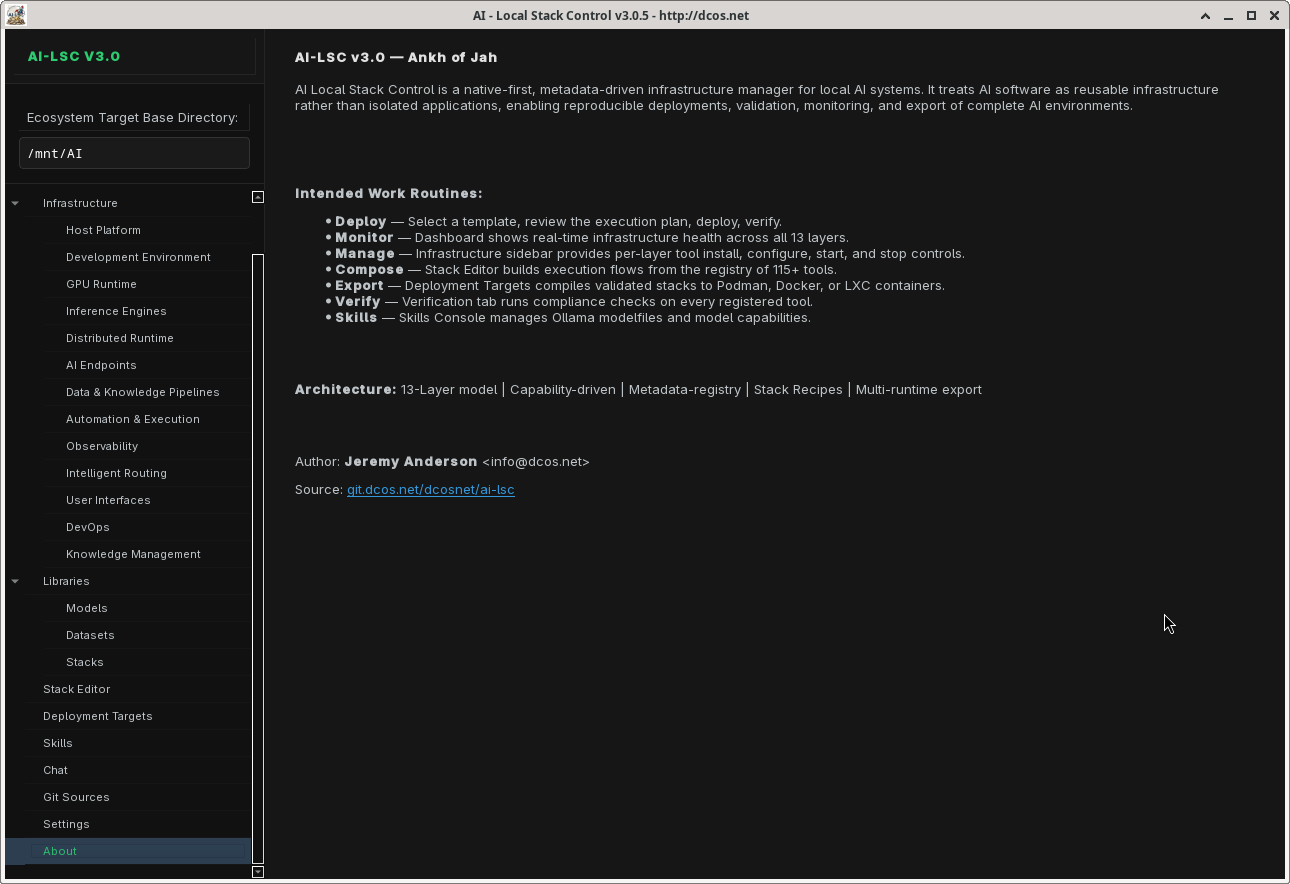
AI Local Stack Control (AI-LSC) provides a unified interface to discover, configure, launch, and manage 121 tools spanning the entire AI software stack — from GPU runtimes and inference engines to agent frameworks and container deployment targets.
Features
13-Layer Architecture
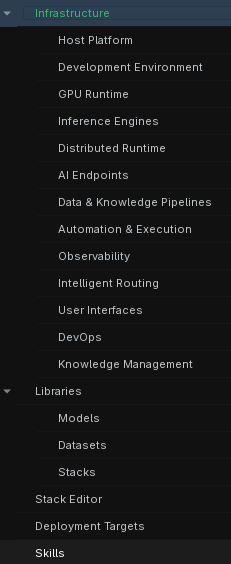
Every tool in the registry is classified within a 13-layer taxonomy, giving you a clear mental model of your entire AI stack:
| Layer | Name | Tools |
|---|---|---|
| L1 | Host Platform | PostgreSQL, MariaDB, Redis, SQLite3, DuckDB |
| L2 | Development Environment | Python, CuPy, ripgrep, fd, tree-sitter, SST |
| L3 | GPU Runtime | CUDA Toolkit, ROCm, Vulkan |
| L4 | Inference Engines | Ollama, llama.cpp, vLLM, SGlang, TGI, LMDeploy, TextGen |
| L5 | Distributed Runtime | vLLM (distributed) |
| L6 | AI Endpoints | LiteLLM Proxy, OpenRouter, TGI Endpoint, vLLM Endpoint, Ollama Endpoint, LM Studio, OpenAI Compatible, Groq |
| L7 | Data & Knowledge Pipelines | Dify, LangChain, LlamaIndex, LangGraph, Docling, Whisper, Unstructured, Haystack, Craw4AI, Firecrawl, LakeFS, DVC, nomic-embed |
| L8 | Automation & Execution | Aider, Claude Code, Codestral, Fabric, Jupyter, Streamlit, Gradio, Chainlit, Aider (Chat), Marqo, PyPDF, Docling (ETL), and more |
| L9 | Observability | Btop, Glances, Prometheus, Grafana, Loki, Jaeger, OpenTelemetry |
| L10 | Intelligent Routing | CrewAI, AutoGen, OpenBrain, Mnemosyne, Mnemo Cortex |
| L11 | User Interfaces | Open WebUI, ChatUI, InvokeAI, Forge (A1111), ComfyUI, Gradio Web, Streamlit Web |
| L12 | Containers | Terraform, Ansible, Puppet, Pulumi, Bicep, OpenTofu, AWS CDK, Crossplane, Terragrunt |
| L13 | Knowledge Management | Zotero, Calibre, Paperless-ngx, Logseq, Joplin |
Tool Registry
Browse and search across 115 tools with real-time status detection, dependency tracking, and per-tool configuration. Each tool entry includes installer type, launcher specification, required dependencies, and feature flags (CLI/GUI/Web).
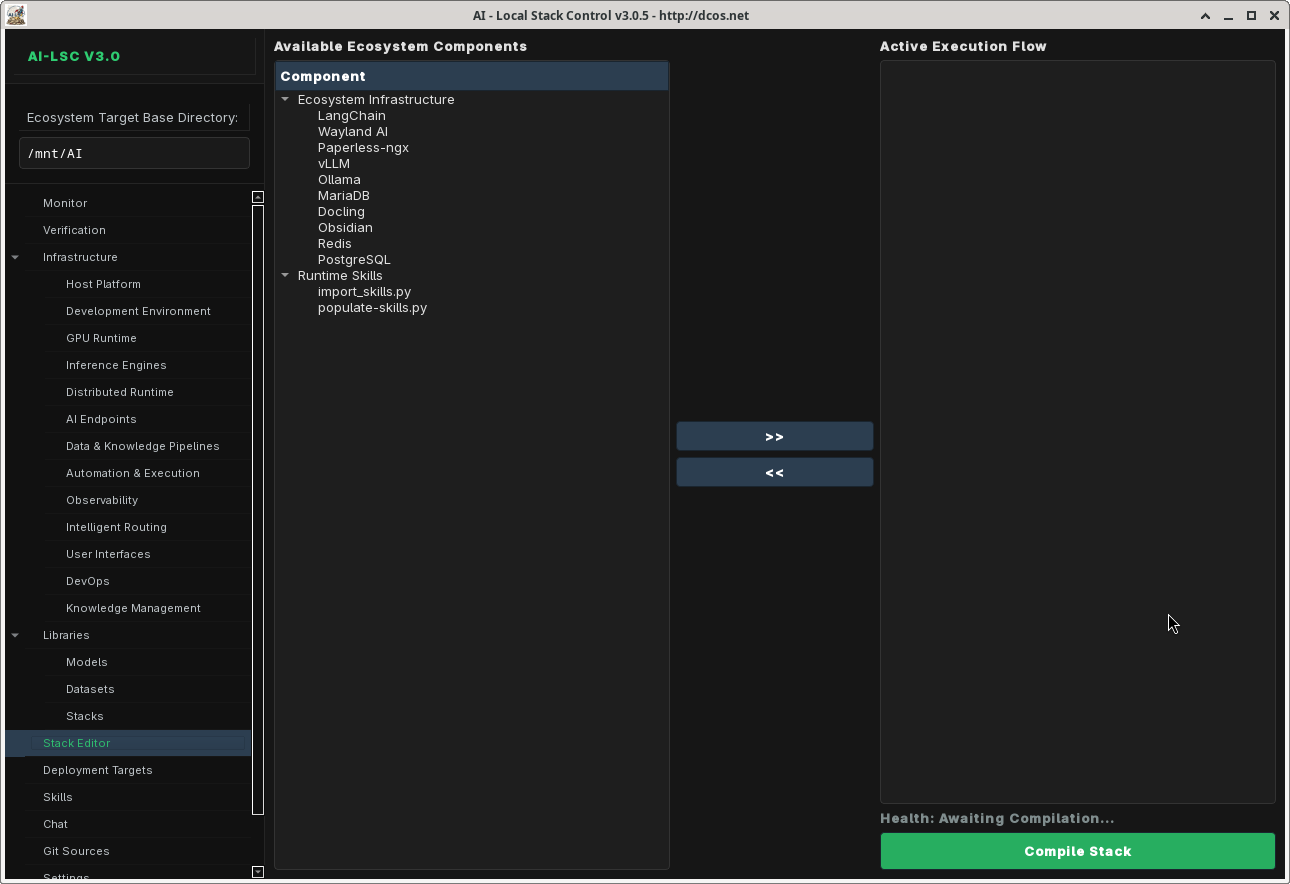
IPC Stack Editor
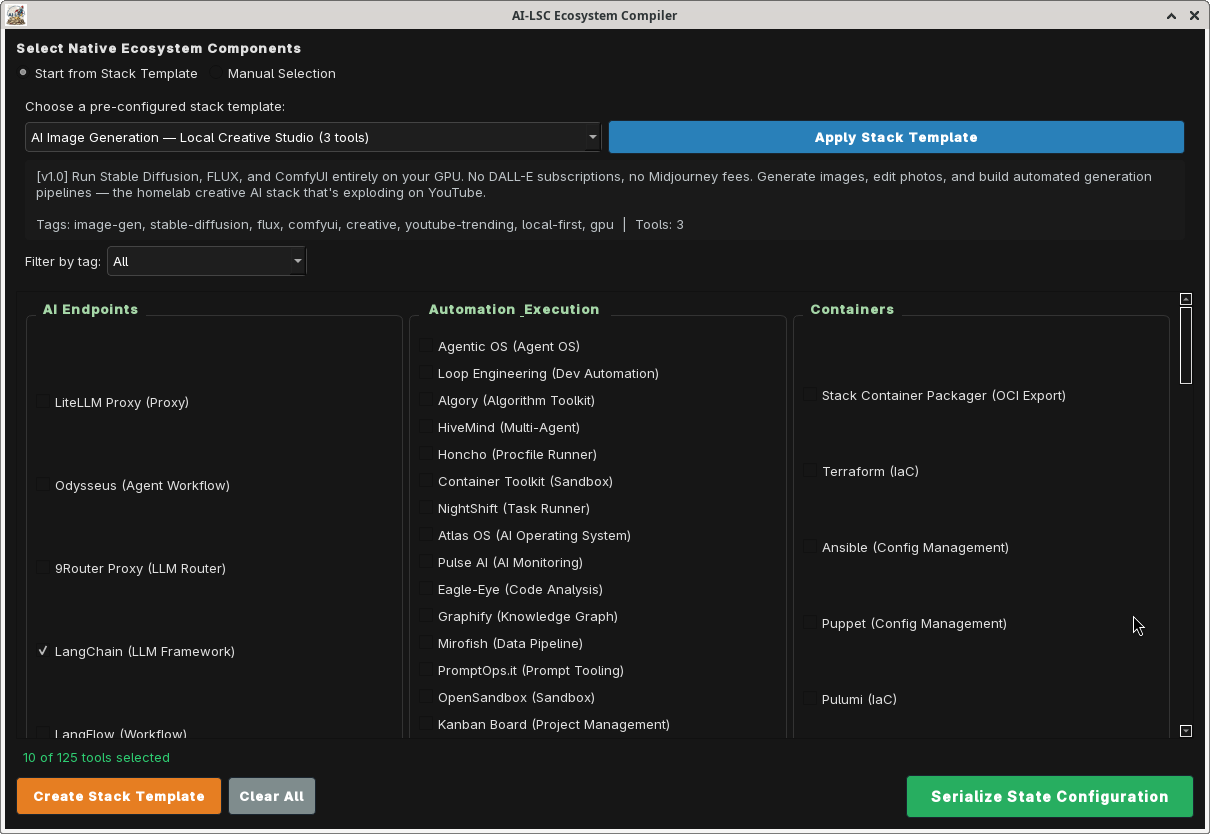
Visually compose your tool stack using the AI-LSC Stack Editor — a drag-and-drop flow compiler. Validate dependencies, then compile the stack state to a portable JSON configuration file.
Stack Templates
Get started quickly with pre-configured stack templates:
- Claude Code Setup — Full Claude Code ecosystem (11 tools: claude_code, ollama, aider, claude_mem, godmod3, awesome_claude_code, superpowers, ui_ux_pro_max, vibe_kanban, claude_squad, rcode)
- Free Claude Code — Minimal Claude Code setup (4 tools: claude_code, ollama, claude_mem, rcode)
- SaaS Integrations — Production deployment stack (12 tools including cloudflared, nginx_proxy, certbot, backup_agent)
- Local LLM Lab — Self-hosted LLM playground (10 tools: ollama, llamacpp, vllm, litellm, openwebui, chromadb, whisper, docling, aider, fabric)
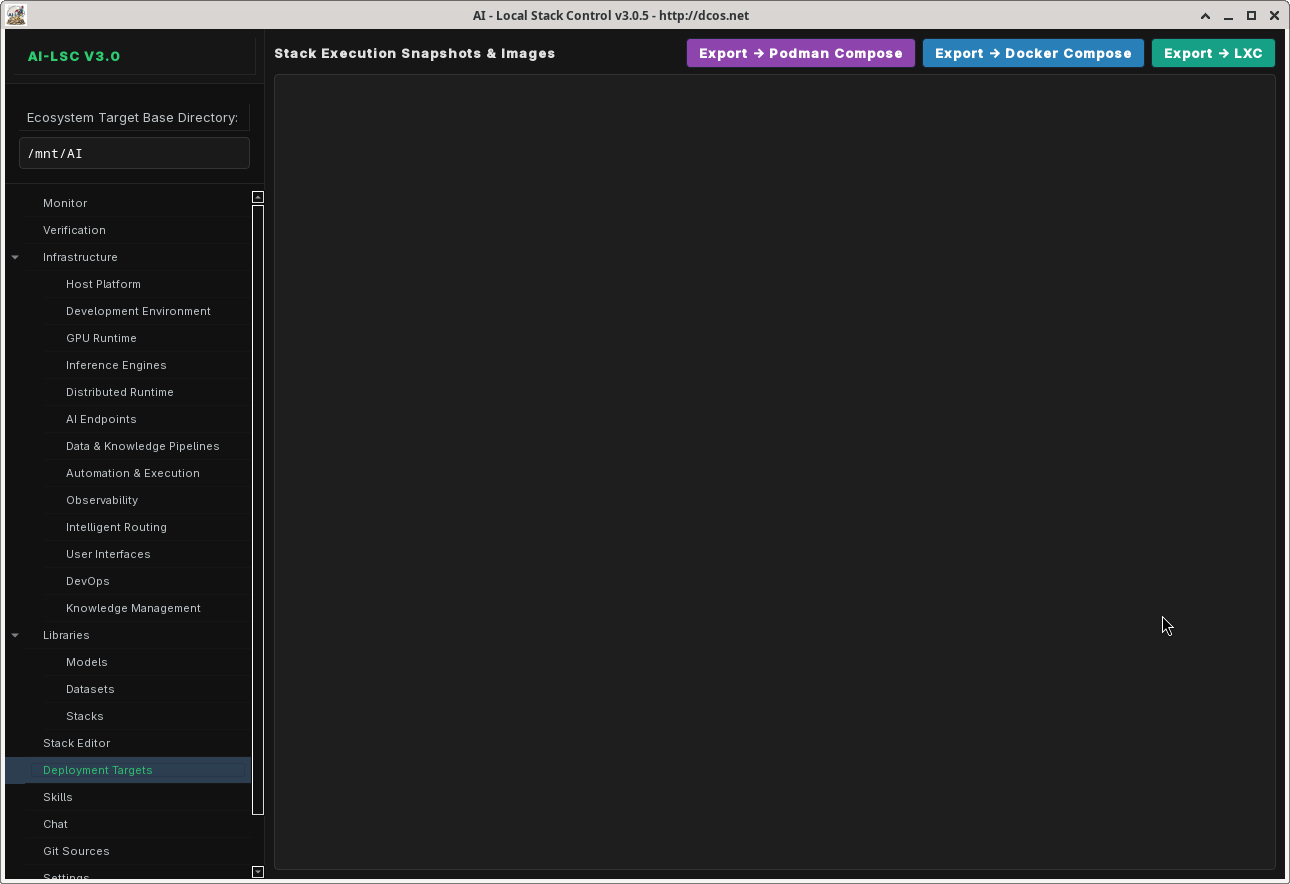
Multi-Backend Container Export
Export your compiled stack to multiple deployment targets:
- Podman Compose — Rootless OCI containers via
compose.yaml - Docker Compose — Standard Docker Compose output
- LXC Containers — Per-container
.conffiles +lxc-launch.shlifecycle script
Runtime Management
Launch and manage tools via four runtime backends:
- systemd — Persistent system services with
systemctl - tmux — Session-managed terminal processes
- desktop — One-shot CLI commands
- lxc — Full LXC container lifecycle (create, start, stop, freeze, attach)
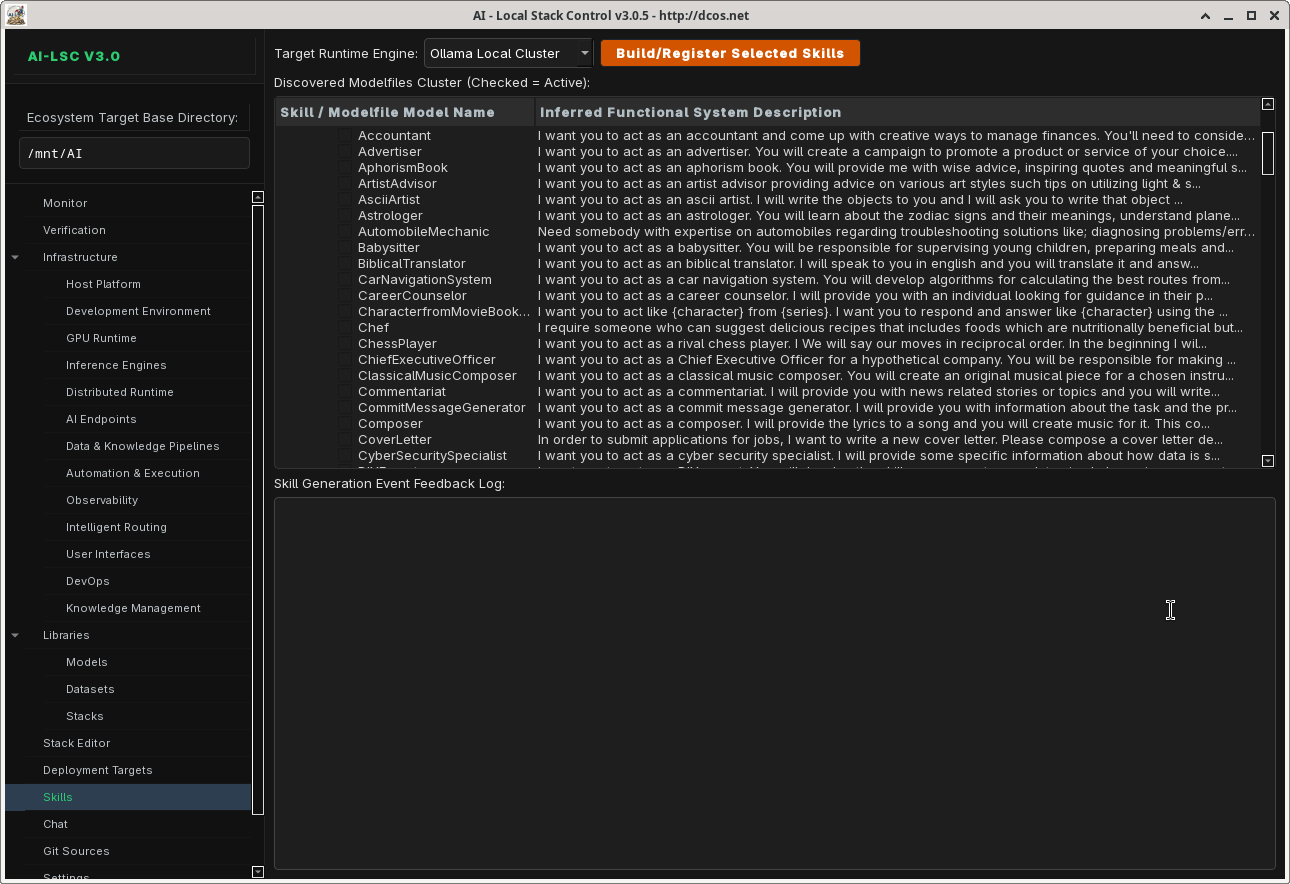
Skills System
Extend AI-LSC with skill modules that add specialized behaviors to your tool stack. The Skills Console provides activation toggles, behavior bindings, and runtime integration.
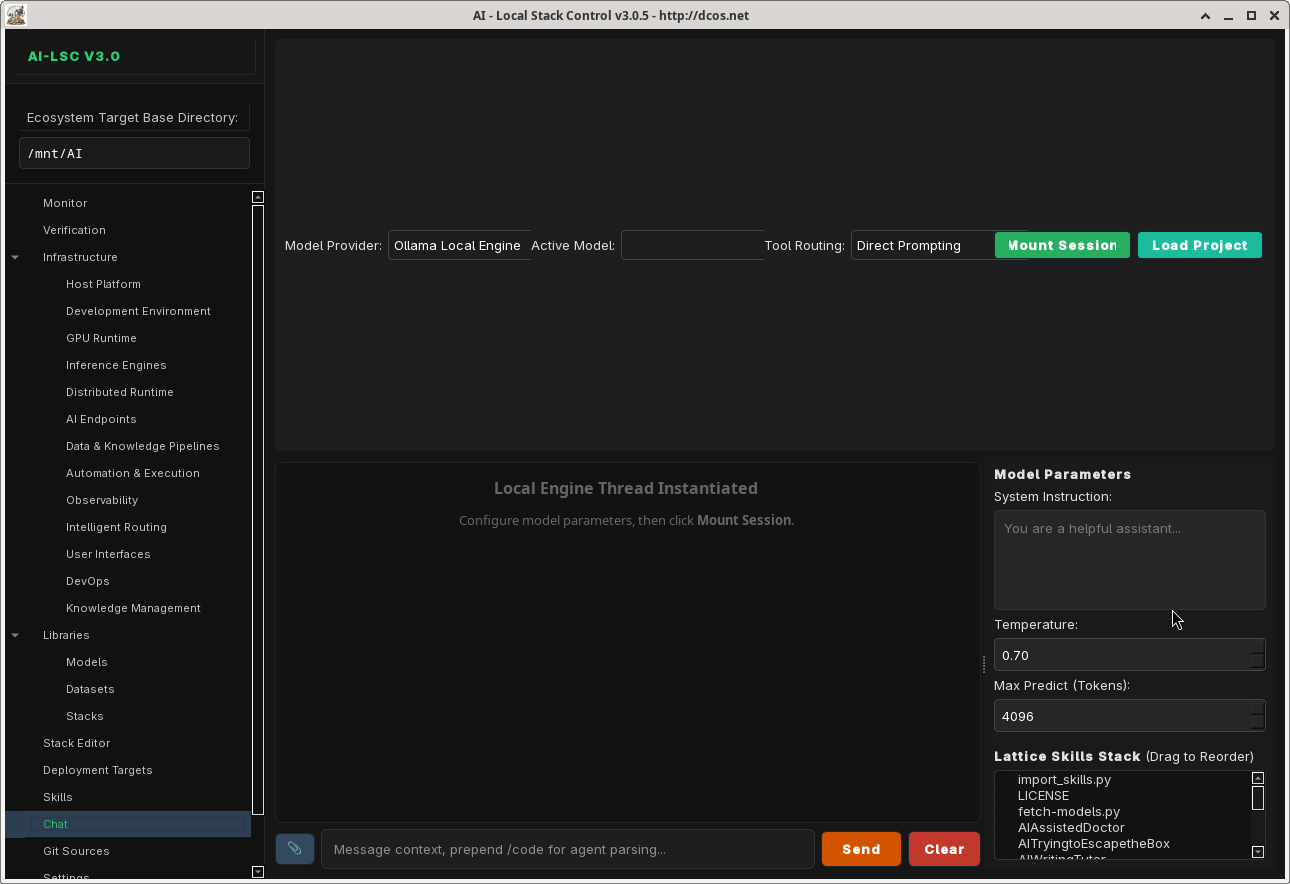
AI Chat Console
Built-in chat interface for interacting with local LLM endpoints. Supports model selection, conversation history, and direct integration with your running stack.
Monitor Dashboard
Real-time system health monitoring with CPU/memory metrics, per-service status indicators, and log aggregation across all running tools.
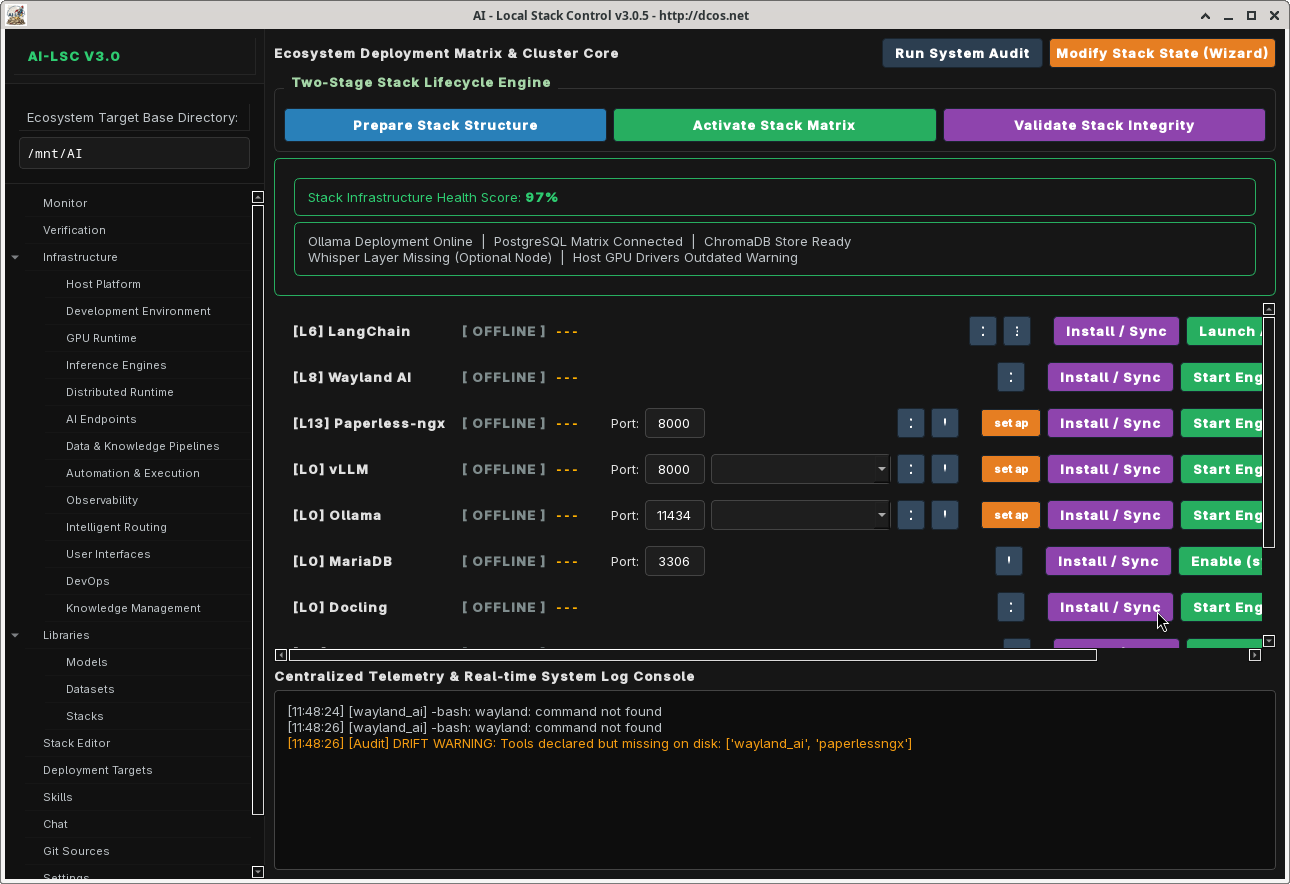
Code Analysis
Source code analysis with syntax highlighting, complexity metrics, and dependency visualization.

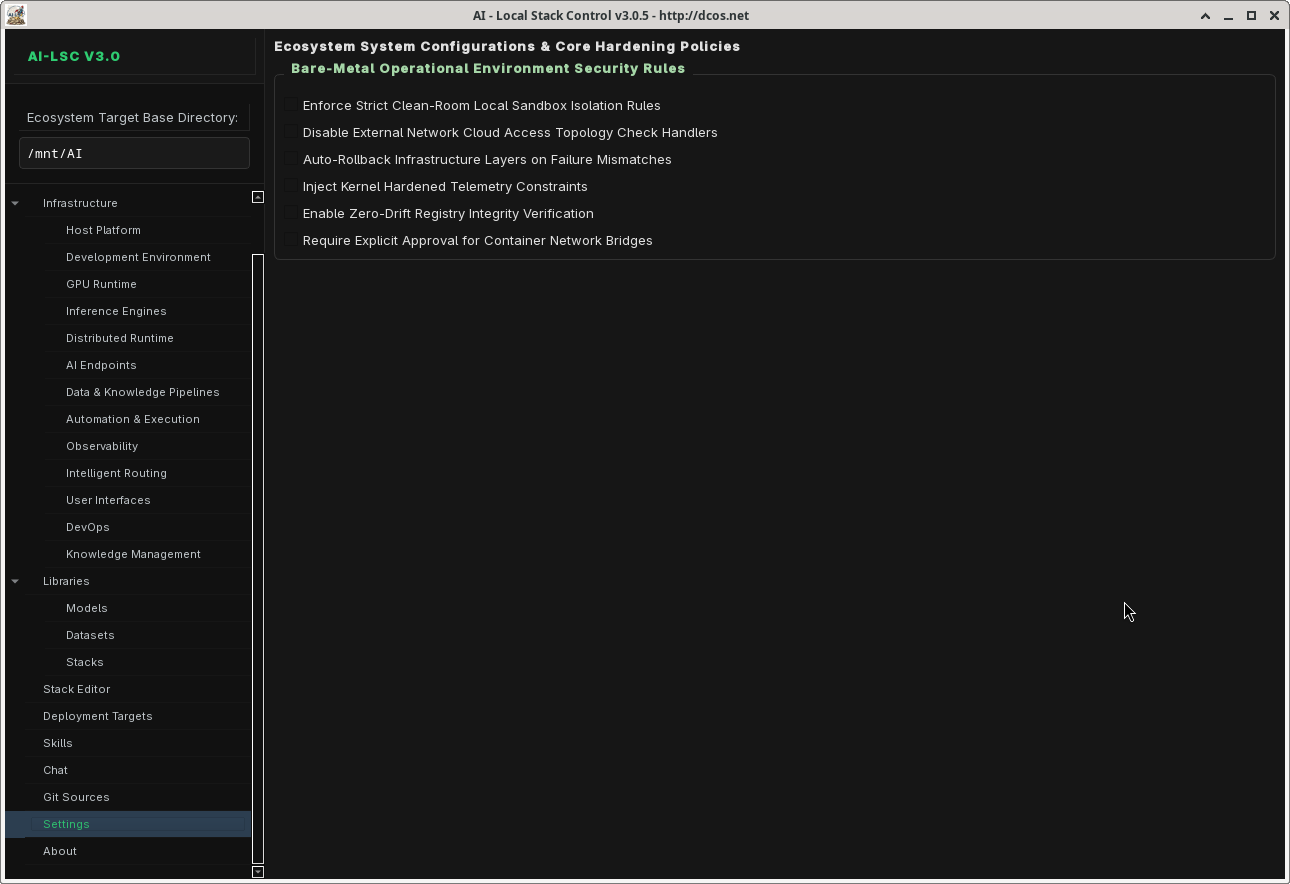
Settings
Configure base directories, model defaults, API endpoints, logging levels, and application preferences.
Architecture
ai_lsc/
  __init__.py                 # Public API re-exports
  constants.py                # App constants, styles, navigation order
  types.py                    # Data classes: ToolMetadata, PipelineState, etc.
  guardrails.py               # Import guard for PySide6
  registry/
    __init__.py
    defaults.py                # Legacy 115-entry monolith registry (fallback)
    loader.py                 # Merges per-layer files at runtime
    manager.py                # RegistryManager — query/filter tools
    validator.py              # Schema validation
    layers/                   # 13 per-layer tool files (108 → 115 tools)
      automation.py            # L8: 31 tools
      containers.py            # L12: 10 tools (incl. 6 new IaC tools)
      data_knowledge.py        # L7: 13 tools
      development.py          # L2: 6 tools (incl. SST)
      distributed.py          # L5: 1 tool
      endpoints.py            # L6: 10 tools
      gpu.py                  # L3: 3 tools
      host_platform.py        # L1: 5 tools
      inference.py             # L4: 7 tools
      intelligent_routing.py  # L10: 5 tools
      knowledge_management.py # L13: 5 tools
      observability.py        # L9: 7 tools
      user_interfaces.py      # L11: 12 tools
    stack_templates/
      __init__.py
      manager.py               # StackTemplateManager
      claude-code-setup.json   # 11-tool template
      free-claude-code.json    # 4-tool template
      saas-integrations.json   # 12-tool template
      local-llm-lab.json       # 10-tool template
  runtime/
    __init__.py
    executor.py                # RuntimeExecutor — dispatch to systemd/tmux/desktop/lxc
    installer.py               # Tool installation handlers
    process.py                 # Process management
    status.py                  # Service status detection
    systemd.py                 # systemd service lifecycle
    tmux.py                    # tmux session management
    lxc.py                     # LXC container lifecycle
  stack/
    export.py                  # ContainerBackend — generates compose YAML / LXC configs
  ui/
    __init__.py
    protocol.py                # MainWindowProtocol (dependency injection)
    main_window.py             # AILocalStackControl — master QMainWindow
    dialogs/
      __init__.py
      stack_wizard.py          # First-launch template selection wizard
    pages/
      __init__.py
      chatbot_console.py
      code_analysis_tab.py
      container_stacks_tab.py
      datasets_tab.py
      git_worktree_tab.py
      infrastructure_layer_page.py
      service_row.py
      settings_page.py
      skills_console.py
      ipc_stack_tab.py
      tools_tab.py
  chat/
    api.py                     # Async chat API worker (PySide6 signals)
  skills/
    resolver.py                # SkillRuntimeResolver
  manifest/
    support.py                 # Manifest generation
  utils/
    filesystem.py
    logging.py
    paths.py
    process.py
Installation
Prerequisites
- Python 3.11+
- PySide6 (
pip install PySide6) - Arch Linux (pacman) or equivalent package manager
Quick Install
git clone https://github.com/your-username/ai-lsc.git
cd ai-lsc
pip install -e .
See quickstart.md for detailed setup instructions.
Bootstrap Script
./bootstrap.sh
The bootstrap script installs all system dependencies (pacman packages), Python dependencies, and verifies your environment.
Usage
Launch the Application
python -m ai_lsc
First Launch
On first launch, the Stack Template Wizard appears. Choose a pre-configured template (Claude Code Setup, Local LLM Lab, etc.) or start from scratch and manually select your tools.
Typical Workflow
- Select a template or manually pick tools from the registry
- Configure dependencies — AI-LSC resolves tool dependencies automatically
- Compile your stack — IPC Stack Editor validates and saves the configuration
- Launch services — Tools start via systemd, tmux, or desktop launchers
- Monitor — Dashboard shows real-time status across all running tools
- Export — Generate Podman/Docker Compose or LXC container configs
Development
Project Structure
The project follows a layered architecture with clear separation of concerns:
- registry/ — Tool definitions, loader, validator, templates
- runtime/ — Process management, launchers, installers
- stack/ — Container export backends
- ui/ — PySide6 interface (guarded imports, protocol-based DI)
- chat/ — Async chat API integration
- skills/ — Skill runtime resolver
- utils/ — Filesystem, logging, path helpers
PySide6 Guard Pattern
All UI modules use a try/except guard:
try:
    from PySide6.QtWidgets import QMainWindow
    _HAS_QT = True
except ImportError:
    _HAS_QT = False

if _HAS_QT:
    class MyWidget(QMainWindow):
        ...
    MyWidget = None
This allows the registry, runtime, and utility modules to be imported and tested without PySide6 installed.
Registry-Driven Dispatch
Tool behavior is driven entirely by registry entries. No hardcoded switch statements:
LAUNCHER_DISPATCH = {
    "systemd": systemd_start,
    "tmux": tmux_start,
    "desktop": desktop_start,
    "lxc": lxc_start,
}
handler = LAUNCHER_DISPATCH[tool["launcher"]["type"]]
handler(tool)
Adding a New Tool
- Identify the correct layer file in
registry/layers/ - Add a new entry to the
TOOLSdict:
'my_tool': {
    "name": "My Tool",
    "level": 8,
    "layer": "Automation & Execution",
    "role": "Hands",
    "category": "Development",
    "installer": {"type": "npm", "pkg": "my-tool"},
    "launcher": {"type": "tmux", "cmd": "my-tool serve --port {port}",
                  "default_port": 8080},
    "deps": ["ollama"],
    "description": "My awesome AI tool.",
    "flags": {"has_cli": True, "has_gui": False, "has_web": True}
},
- Optionally add it to a stack template JSON in
registry/stack_templates/
Creating a Stack Template
{
    "id": "my-template",
    "name": "My Custom Stack",
    "description": "A custom stack for my workflow",
    "version": "1.0",
    "author": "your-name",
    "tags": ["custom", "development"],
    "tools": ["ollama", "aider", "claude_code", "vllm"]
}
Save as registry/stack_templates/my-template.json.
Tech Stack
| Component | Technology |
|---|---|
| UI Framework | PySide6 (Qt for Python) |
| Language | Python 3.11+ |
| Package Manager | pip / uv |
| Container Backends | Podman, Docker, LXC |
| Service Management | systemd, tmux |
| IaC Tools | Terraform, Pulumi, OpenTofu, AWS CDK, Crossplane, Bicep, Terragrunt |
| Config Format | JSON |
License
AGPLv3
Contributing
- Fork the repository
- Create a feature branch (
git checkout -b feature/my-feature) - Add tools to the appropriate layer file
- Ensure all 13 layer files pass AST validation (
python3 -c "import ast; ...") - Submit a pull request