v3.0 — Codename: Ankh of Jah
http://dcos.net
A PySide6 desktop application for orchestrating local AI/ML tool stacks across a 13-layer architecture.
AI Local Stack Control (AI-LSC) provides a unified interface to discover, configure, launch, and manage 121 tools spanning the entire AI software stack — from GPU runtimes and inference engines to agent frameworks and container deployment targets. 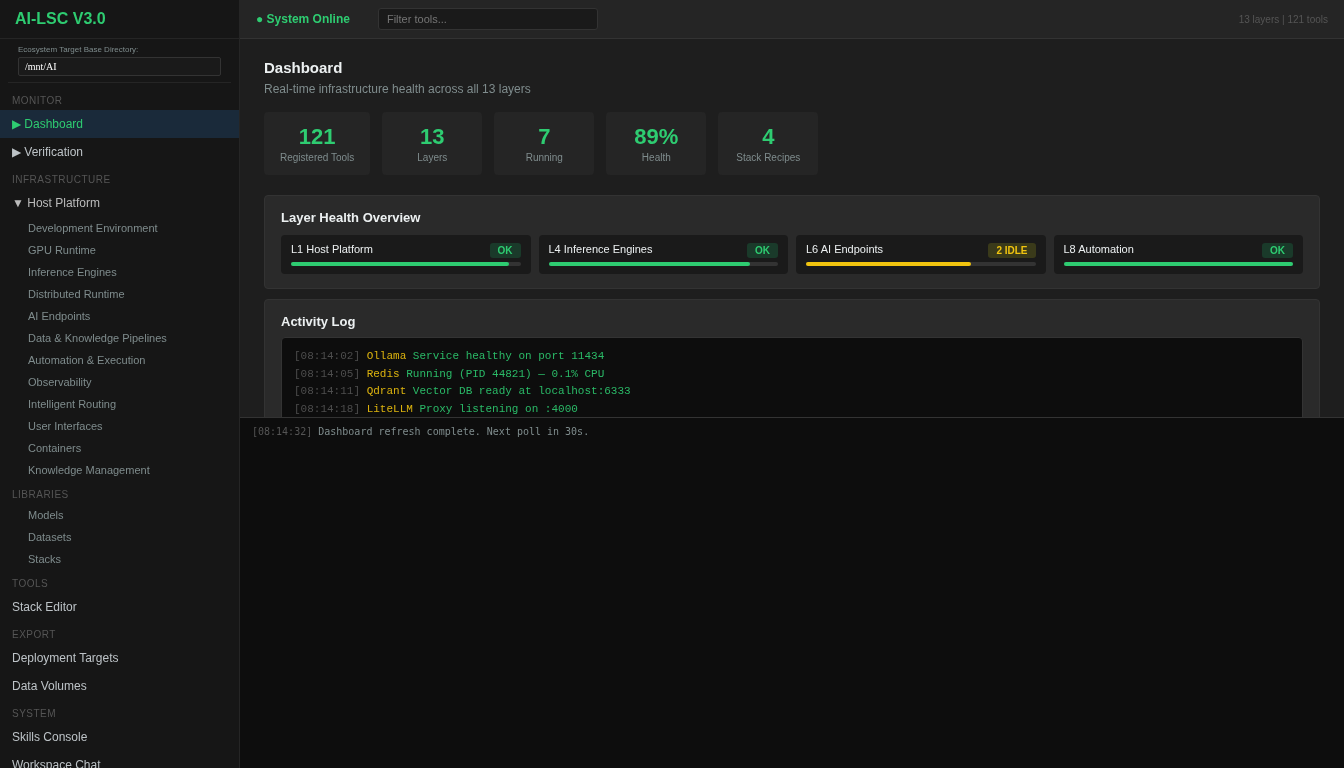 ## Features ### 13-Layer Architecture Every tool in the registry is classified within a 13-layer taxonomy, giving you a clear mental model of your entire AI stack: | Layer | Name | Tools | |-------|------|-------| | L1 | Host Platform | PostgreSQL, MariaDB, Redis, SQLite3, DuckDB | | L2 | Development Environment | Python, CuPy, ripgrep, fd, tree-sitter, SST | | L3 | GPU Runtime | CUDA Toolkit, ROCm, Vulkan | | L4 | Inference Engines | Ollama, llama.cpp, vLLM, SGlang, TGI, LMDeploy, TextGen | | L5 | Distributed Runtime | vLLM (distributed) | | L6 | AI Endpoints | LiteLLM Proxy, OpenRouter, TGI Endpoint, vLLM Endpoint, Ollama Endpoint, LM Studio, OpenAI Compatible, Groq | | L7 | Data & Knowledge Pipelines | Dify, LangChain, LlamaIndex, LangGraph, Docling, Whisper, Unstructured, Haystack, Craw4AI, Firecrawl, LakeFS, DVC, nomic-embed | | L8 | Automation & Execution | Aider, Claude Code, Codestral, Fabric, Jupyter, Streamlit, Gradio, Chainlit, Aider (Chat), Marqo, PyPDF, Docling (ETL), and more | | L9 | Observability | Btop, Glances, Prometheus, Grafana, Loki, Jaeger, OpenTelemetry | | L10 | Intelligent Routing | CrewAI, AutoGen, OpenBrain, Mnemosyne, Mnemo Cortex | | L11 | User Interfaces | Open WebUI, ChatUI, InvokeAI, Forge (A1111), ComfyUI, Gradio Web, Streamlit Web | | L12 | Containers | Terraform, Ansible, Puppet, Pulumi, Bicep, OpenTofu, AWS CDK, Crossplane, Terragrunt | | L13 | Knowledge Management | Zotero, Calibre, Paperless-ngx, Logseq, Joplin | 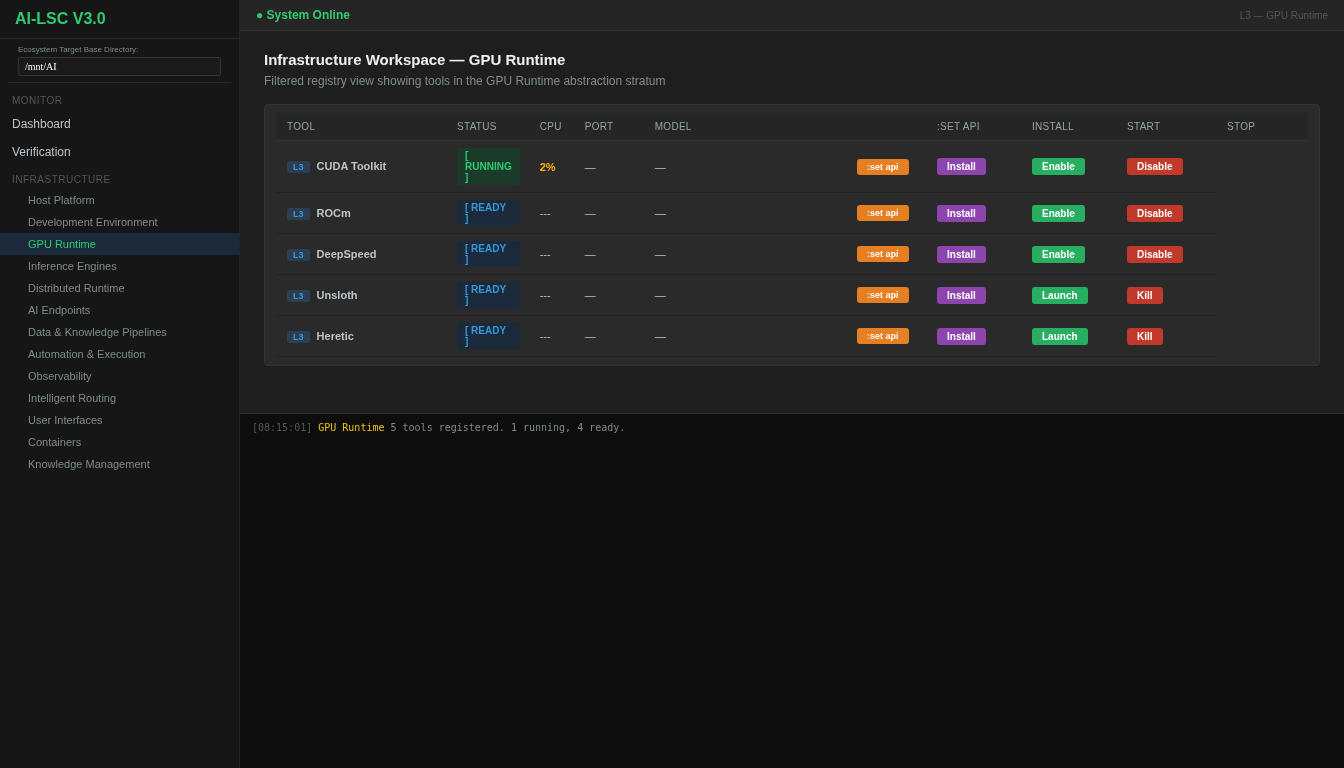 ### Tool Registry Browse and search across 115 tools with real-time status detection, dependency tracking, and per-tool configuration. Each tool entry includes installer type, launcher specification, required dependencies, and feature flags (CLI/GUI/Web). 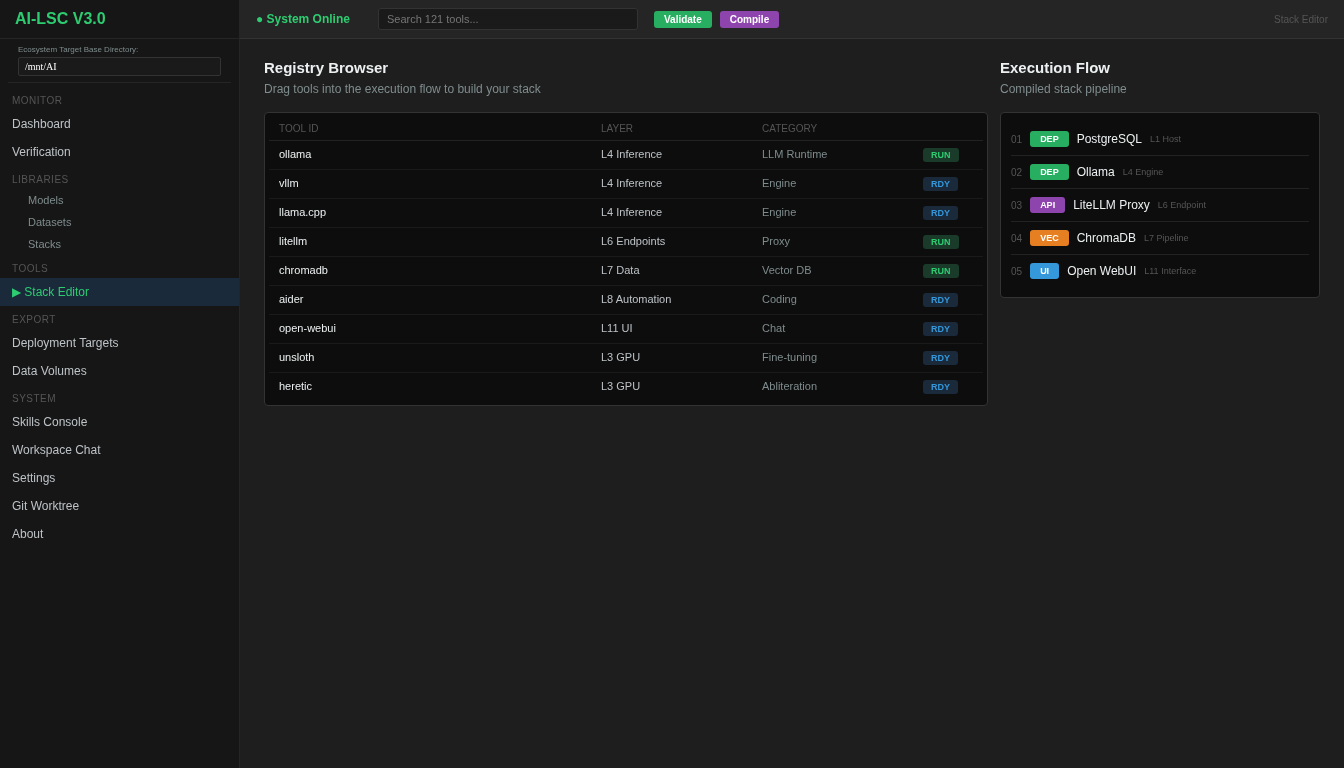 ### IPC Stack Editor Visually compose your tool stack using the AI-LSC Stack Editor — a drag-and-drop flow compiler. Validate dependencies, then compile the stack state to a portable JSON configuration file. 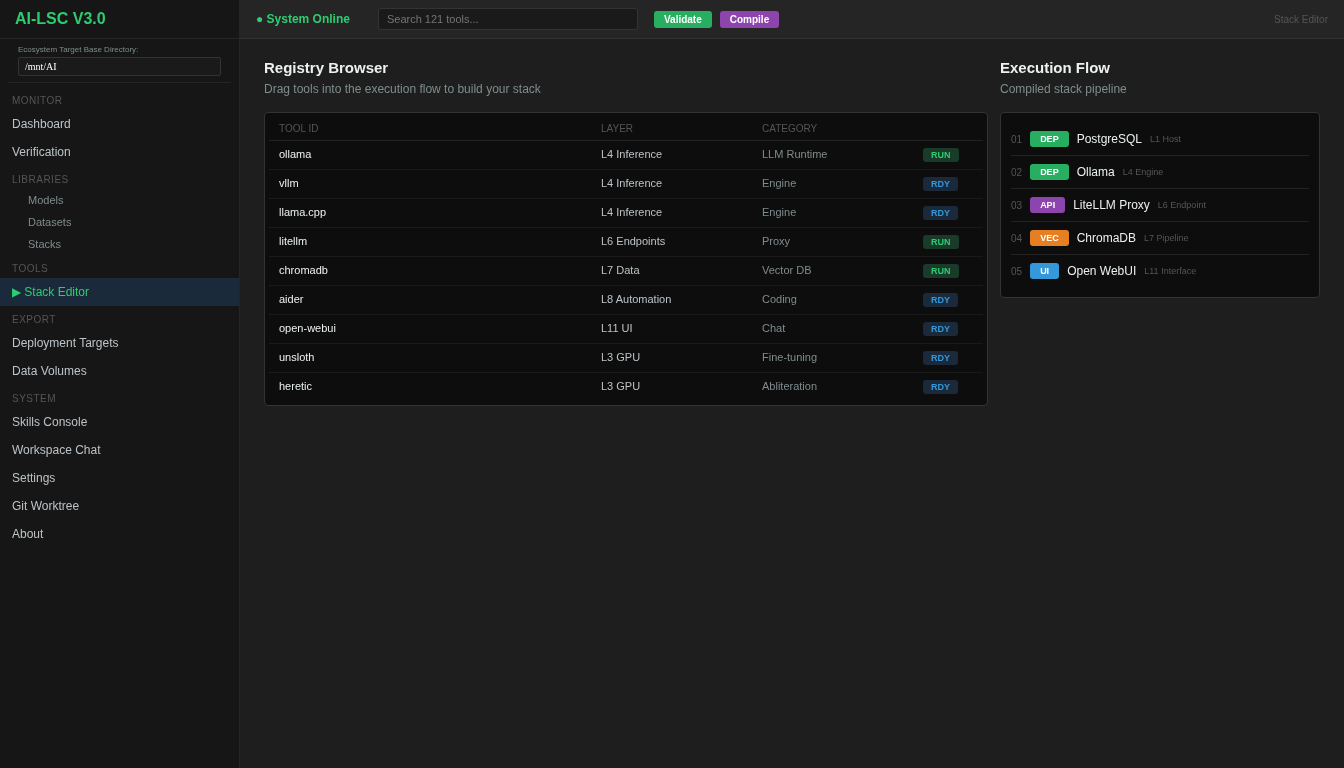 ### Stack Templates Get started quickly with pre-configured stack templates: - **Claude Code Setup** — Full Claude Code ecosystem (11 tools: claude_code, ollama, aider, claude_mem, godmod3, awesome_claude_code, superpowers, ui_ux_pro_max, vibe_kanban, claude_squad, rcode) - **Free Claude Code** — Minimal Claude Code setup (4 tools: claude_code, ollama, claude_mem, rcode) - **SaaS Integrations** — Production deployment stack (12 tools including cloudflared, nginx_proxy, certbot, backup_agent) - **Local LLM Lab** — Self-hosted LLM playground (10 tools: ollama, llamacpp, vllm, litellm, openwebui, chromadb, whisper, docling, aider, fabric) ### Multi-Backend Container Export Export your compiled stack to multiple deployment targets: - **Podman Compose** — Rootless OCI containers via `compose.yaml` - **Docker Compose** — Standard Docker Compose output - **LXC Containers** — Per-container `.conf` files + `lxc-launch.sh` lifecycle script 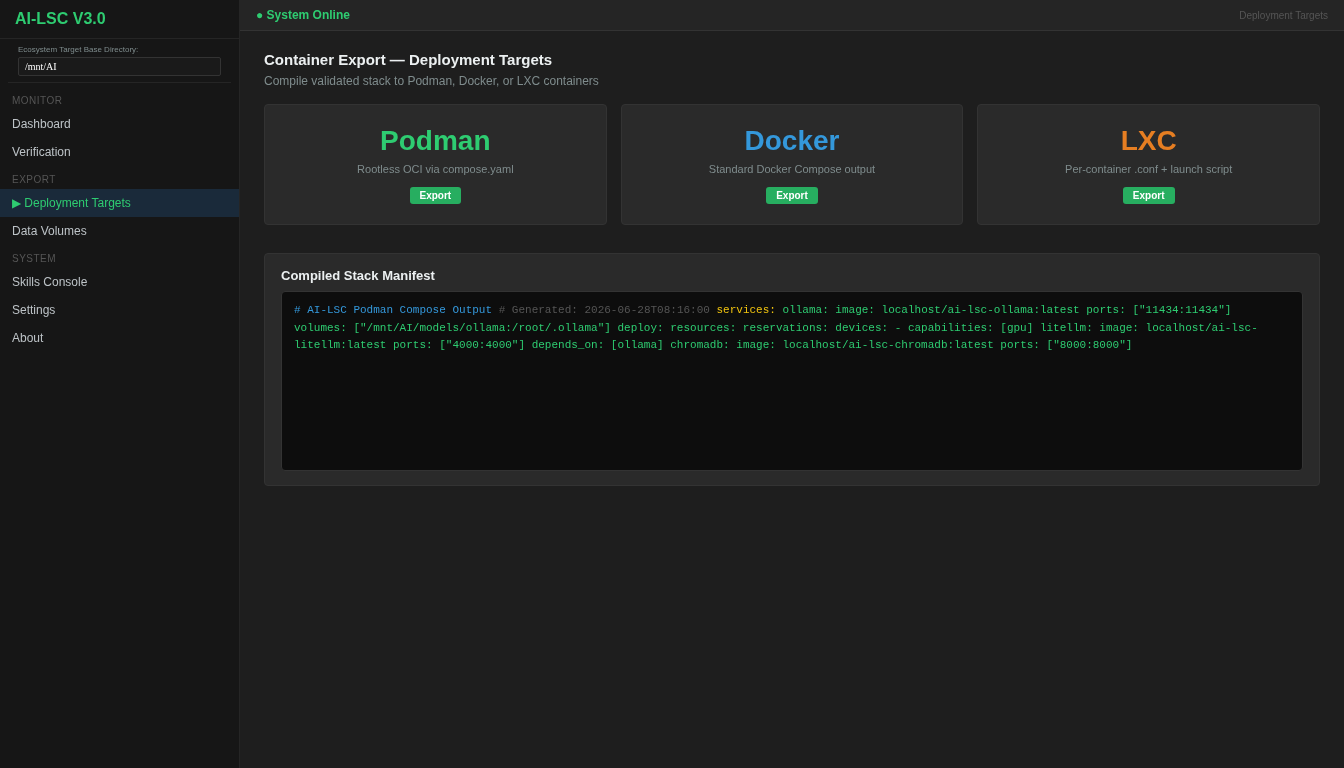 ### Runtime Management Launch and manage tools via four runtime backends: - **systemd** — Persistent system services with `systemctl` - **tmux** — Session-managed terminal processes - **desktop** — One-shot CLI commands - **lxc** — Full LXC container lifecycle (create, start, stop, freeze, attach) ### Skills System Extend AI-LSC with skill modules that add specialized behaviors to your tool stack. The Skills Console provides activation toggles, behavior bindings, and runtime integration. 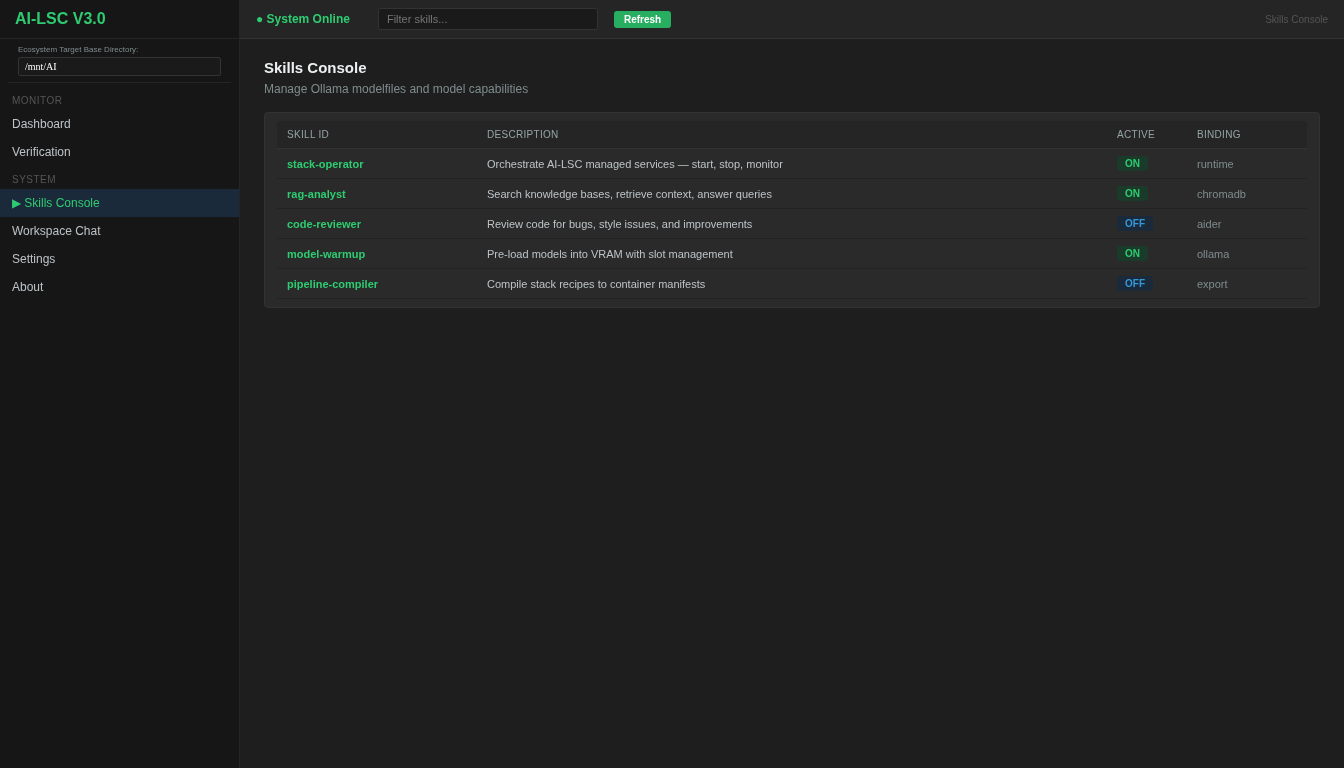 ### AI Chat Console Built-in chat interface for interacting with local LLM endpoints. Supports model selection, conversation history, and direct integration with your running stack. 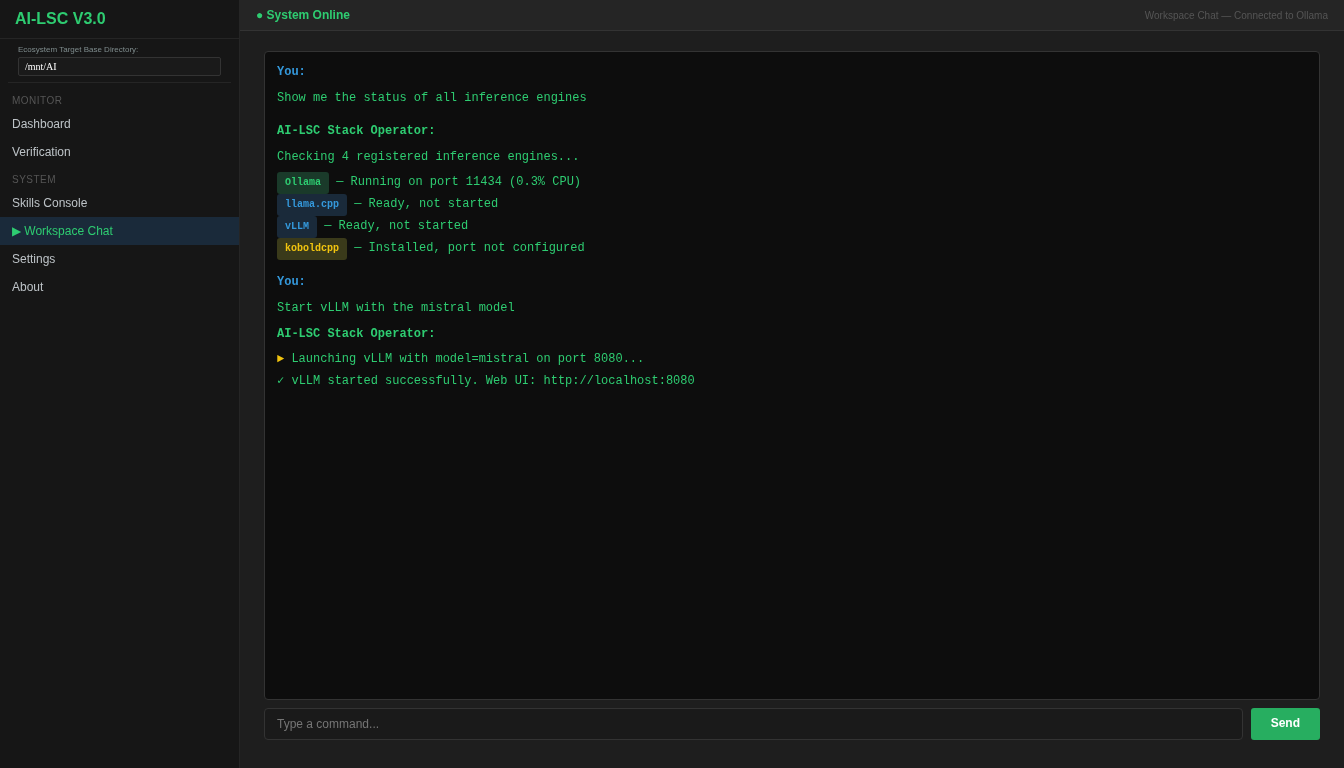 ### Monitor Dashboard Real-time system health monitoring with CPU/memory metrics, per-service status indicators, and log aggregation across all running tools. 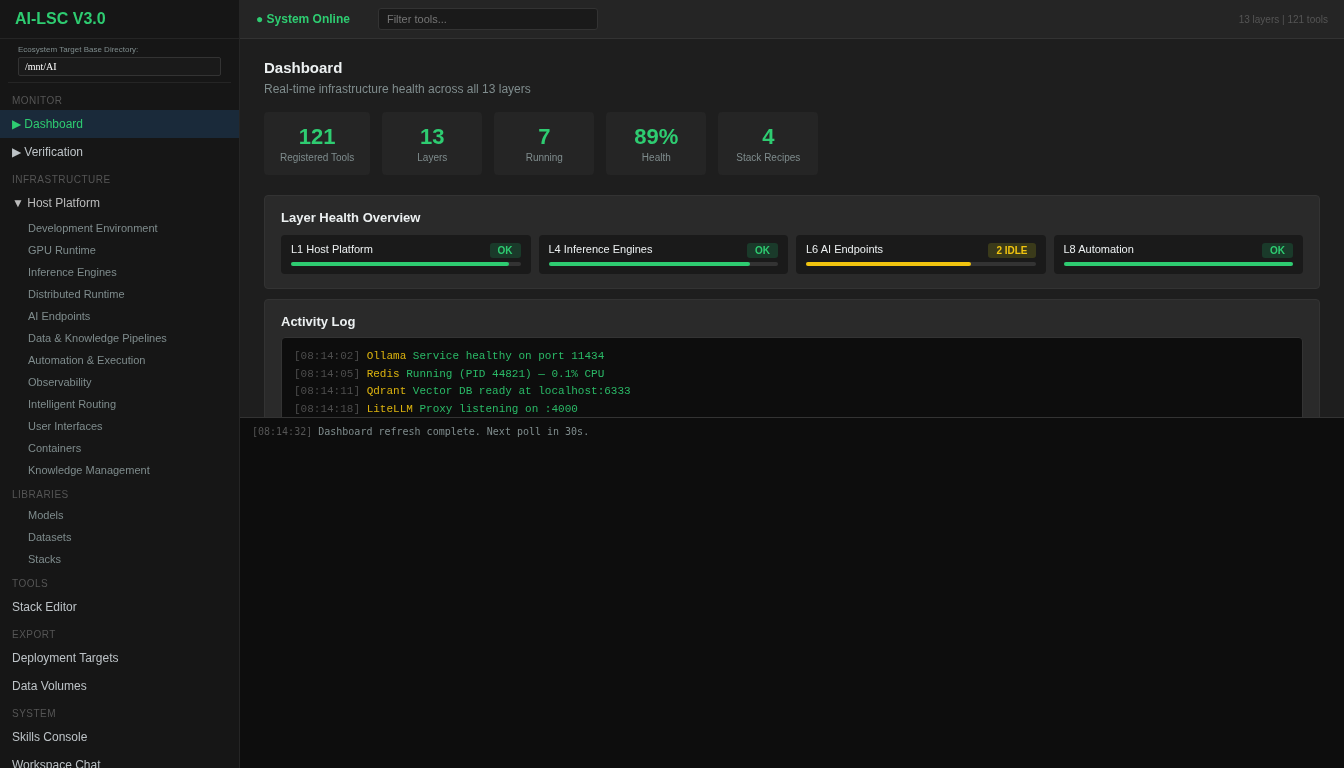 ### Code Analysis Source code analysis with syntax highlighting, complexity metrics, and dependency visualization. 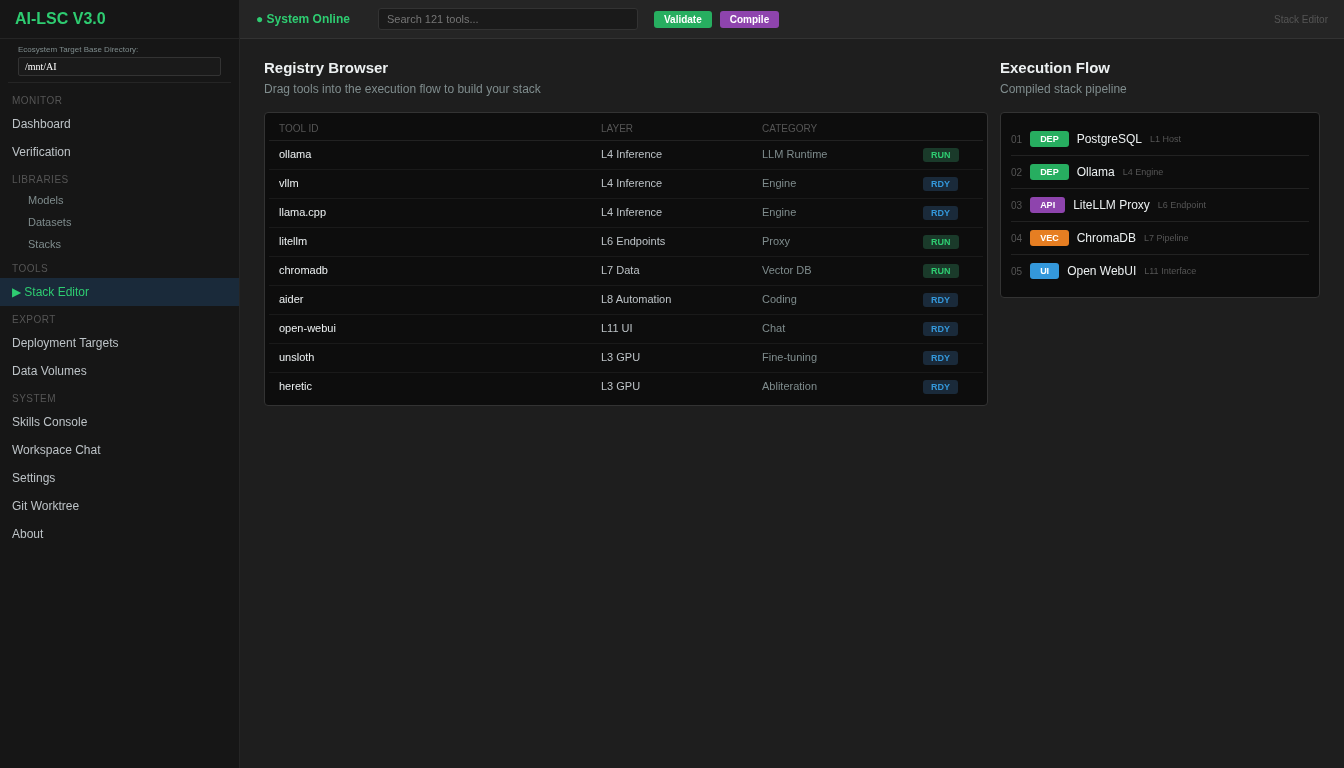 ### Settings Configure base directories, model defaults, API endpoints, logging levels, and application preferences. 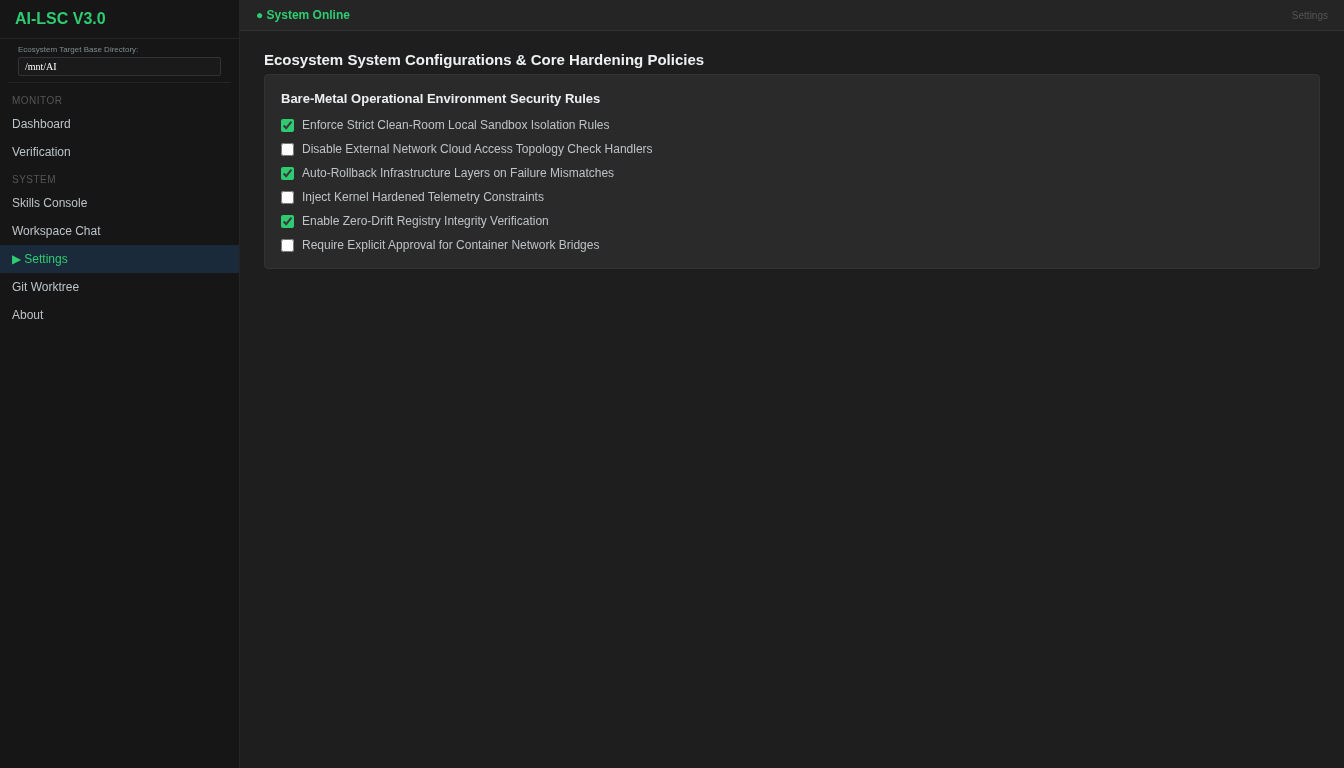 ## Architecture ``` ai_lsc/ __init__.py # Public API re-exports constants.py # App constants, styles, navigation order types.py # Data classes: ToolMetadata, PipelineState, etc. guardrails.py # Import guard for PySide6 registry/ __init__.py defaults.py # Legacy 115-entry monolith registry (fallback) loader.py # Merges per-layer files at runtime manager.py # RegistryManager — query/filter tools validator.py # Schema validation layers/ # 13 per-layer tool files (108 → 115 tools) automation.py # L8: 31 tools containers.py # L12: 10 tools (incl. 6 new IaC tools) data_knowledge.py # L7: 13 tools development.py # L2: 6 tools (incl. SST) distributed.py # L5: 1 tool endpoints.py # L6: 10 tools gpu.py # L3: 3 tools host_platform.py # L1: 5 tools inference.py # L4: 7 tools intelligent_routing.py # L10: 5 tools knowledge_management.py # L13: 5 tools observability.py # L9: 7 tools user_interfaces.py # L11: 12 tools stack_templates/ __init__.py manager.py # StackTemplateManager claude-code-setup.json # 11-tool template free-claude-code.json # 4-tool template saas-integrations.json # 12-tool template local-llm-lab.json # 10-tool template runtime/ __init__.py executor.py # RuntimeExecutor — dispatch to systemd/tmux/desktop/lxc installer.py # Tool installation handlers process.py # Process management status.py # Service status detection systemd.py # systemd service lifecycle tmux.py # tmux session management lxc.py # LXC container lifecycle stack/ export.py # ContainerBackend — generates compose YAML / LXC configs ui/ __init__.py protocol.py # MainWindowProtocol (dependency injection) main_window.py # AILocalStackControl — master QMainWindow dialogs/ __init__.py stack_wizard.py # First-launch template selection wizard pages/ __init__.py chatbot_console.py code_analysis_tab.py container_stacks_tab.py datasets_tab.py git_worktree_tab.py infrastructure_layer_page.py service_row.py settings_page.py skills_console.py ipc_stack_tab.py tools_tab.py chat/ api.py # Async chat API worker (PySide6 signals) skills/ resolver.py # SkillRuntimeResolver manifest/ support.py # Manifest generation utils/ filesystem.py logging.py paths.py process.py ``` ## Installation ### Prerequisites - Python 3.11+ - PySide6 (`pip install PySide6`) - Arch Linux (pacman) or equivalent package manager ### Quick Install ```bash git clone https://github.com/your-username/ai-lsc.git cd ai-lsc pip install -e . ``` See [quickstart.md](quickstart.md) for detailed setup instructions. ### Bootstrap Script ```bash ./bootstrap.sh ``` The bootstrap script installs all system dependencies (pacman packages), Python dependencies, and verifies your environment. ## Usage ### Launch the Application ```bash python -m ai_lsc ``` ### First Launch On first launch, the Stack Template Wizard appears. Choose a pre-configured template (Claude Code Setup, Local LLM Lab, etc.) or start from scratch and manually select your tools. ### Typical Workflow 1. **Select a template** or manually pick tools from the registry 2. **Configure dependencies** — AI-LSC resolves tool dependencies automatically 3. **Compile your stack** — IPC Stack Editor validates and saves the configuration 4. **Launch services** — Tools start via systemd, tmux, or desktop launchers 5. **Monitor** — Dashboard shows real-time status across all running tools 6. **Export** — Generate Podman/Docker Compose or LXC container configs ## Development ### Project Structure The project follows a layered architecture with clear separation of concerns: - **registry/** — Tool definitions, loader, validator, templates - **runtime/** — Process management, launchers, installers - **stack/** — Container export backends - **ui/** — PySide6 interface (guarded imports, protocol-based DI) - **chat/** — Async chat API integration - **skills/** — Skill runtime resolver - **utils/** — Filesystem, logging, path helpers ### PySide6 Guard Pattern All UI modules use a try/except guard: ```python try: from PySide6.QtWidgets import QMainWindow _HAS_QT = True except ImportError: _HAS_QT = False if _HAS_QT: class MyWidget(QMainWindow): ... MyWidget = None ``` This allows the registry, runtime, and utility modules to be imported and tested without PySide6 installed. ### Registry-Driven Dispatch Tool behavior is driven entirely by registry entries. No hardcoded switch statements: ```python LAUNCHER_DISPATCH = { "systemd": systemd_start, "tmux": tmux_start, "desktop": desktop_start, "lxc": lxc_start, } handler = LAUNCHER_DISPATCH[tool["launcher"]["type"]] handler(tool) ``` ### Adding a New Tool 1. Identify the correct layer file in `registry/layers/` 2. Add a new entry to the `TOOLS` dict: ```python 'my_tool': { "name": "My Tool", "level": 8, "layer": "Automation & Execution", "role": "Hands", "category": "Development", "installer": {"type": "npm", "pkg": "my-tool"}, "launcher": {"type": "tmux", "cmd": "my-tool serve --port {port}", "default_port": 8080}, "deps": ["ollama"], "description": "My awesome AI tool.", "flags": {"has_cli": True, "has_gui": False, "has_web": True} }, ``` 3. Optionally add it to a stack template JSON in `registry/stack_templates/` ### Creating a Stack Template ```json { "id": "my-template", "name": "My Custom Stack", "description": "A custom stack for my workflow", "version": "1.0", "author": "your-name", "tags": ["custom", "development"], "tools": ["ollama", "aider", "claude_code", "vllm"] } ``` Save as `registry/stack_templates/my-template.json`. ## Tech Stack | Component | Technology | |-----------|-----------| | UI Framework | PySide6 (Qt for Python) | | Language | Python 3.11+ | | Package Manager | pip / uv | | Container Backends | Podman, Docker, LXC | | Service Management | systemd, tmux | | IaC Tools | Terraform, Pulumi, OpenTofu, AWS CDK, Crossplane, Bicep, Terragrunt | | Config Format | JSON | ## License MIT ## Contributing 1. Fork the repository 2. Create a feature branch (`git checkout -b feature/my-feature`) 3. Add tools to the appropriate layer file 4. Ensure all 13 layer files pass AST validation (`python3 -c "import ast; ..."`) 5. Submit a pull request